
Learning that cost control isn’t just a finance thing, it’s a DevOps responsibility. Using Terraform and Azure Policy, I automated governance so no resource slips through without a tag. It felt like I was bringing real discipline into the cloud just like CI/CD, but for cost control.
What Problem Are We Solving?
Imagine you’re working at a company where multiple teams deploy resources to Azure. Without proper governance:
- Resources get created without proper tags
- No one knows which department to charge for costs
- Orphaned resources pile up
- Cloud bills explode
Prerequisites
Before you start, make sure you have:
- Azure subscription
- Terraform installed
- Azure CLI installed and authenticated
- Basic Terraform knowledge
- Azure DevOps account
Project Structure
Let’s organize our project properly:
finops-governance/
├── main.tf                 # Main Terraform configuration
├── variables.tf            # Input variables
├── outputs.tf              # Output values
├── provider.tf             # Azure provider setup
├── require-tags.tf     # Tag enforcement policy
└── deny-expensive-vms.tf  # Cost control policy
└── azure-pipelines.yml     # CI/CD pipeline (optional)

Step-by-Step Implementation
Step 1: Set Up Azure Provider
Create provider.tf:
terraform {
  required_providers {
    azurerm = {
      source  = "hashicorp/azurerm"
      version = "~> 4.0"
    }
  }
}

provider "azurerm" {
  features {}
}

# Get current subscription info
data "azurerm_subscription" "primary" {
}

What this does: Configures Terraform to talk to Azure and fetches your subscription details.
Step 2: Define Variables
Create variables.tf:
variable "required_tags" {
  description = "Tags that must be present on all resources"
  type        = list(string)
  default     = ["CostCenter", "Environment", "Owner"]
}

variable "allowed_vm_sizes" {
  description = "List of allowed VM sizes to control costs"
  type        = list(string)
  default     = ["Standard_B1s", "Standard_B2s", "Standard_D2s_v3"]
}
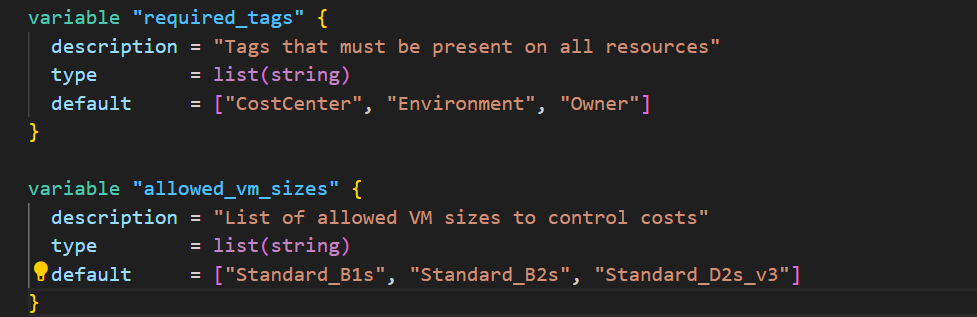
Why variables? Makes your configuration reusable and easier to maintain.
Step 3: Create Tag Enforcement Policy
Create require-tags.tf:
resource "azurerm_policy_definition" "require_cost_tags" {
  # Unique name (no spaces, lowercase + hyphens)
  name         = "require-cost-tags-on-vms"

  # Type: Custom (we created it) vs BuiltIn (Microsoft provides it)
  policy_type  = "Custom"

  # Mode: Indexed means it applies to resources with tags
  mode         = "Indexed"

  # Human-readable name (shows in Azure Portal)
  display_name = "Require Cost Tracking Tags on VMs"

  # Description explaining why this policy exists
  description  = "Ensures all virtual machines have CostCenter, Environment, and Owner tags for financial tracking"

  # Metadata for organizing policies in Azure Portal
  metadata = jsonencode({
    category = "FinOps"
    version  = "1.0.0"
  })

  # ===================================
  # THE ACTUAL RULE (in JSON format)
  # ===================================
  policy_rule = jsonencode({
    # IF this condition is true...
    if = {
      allOf = [
        # Check 1: Is this a Virtual Machine?
        {
          field  = "type"
          equals = "Microsoft.Compute/virtualMachines"
        },
        # Check 2: Is ANY of these tags missing?
        {
          anyOf = [
            {
              field  = "tags['CostCenter']"
              exists = "false"
            },
            {
              field  = "tags['Environment']"
              exists = "false"
            },
            {
              field  = "tags['Owner']"
              exists = "false"
            }
          ]
        }
      ]
    },
    # THEN do this...
    then = {
      effect = "deny"  # Block the resource creation
    }
  })
}
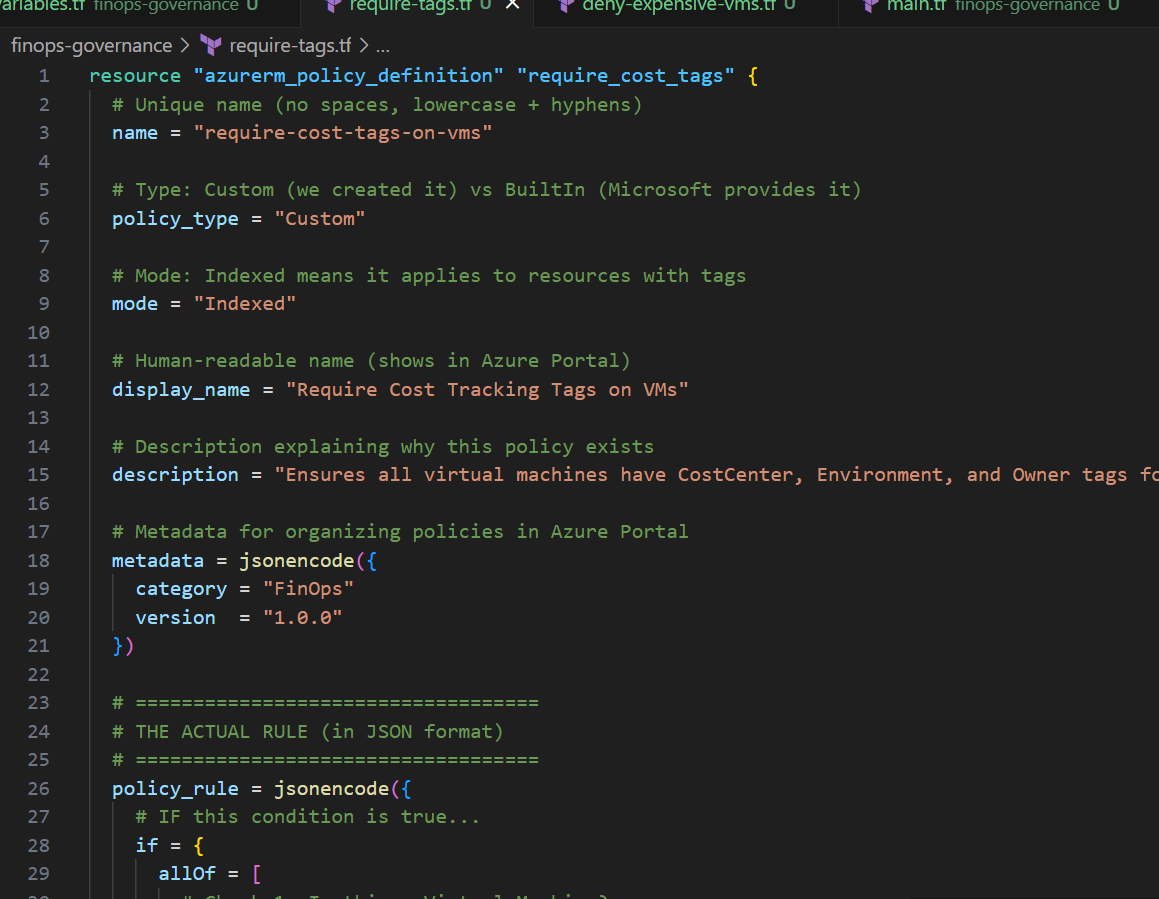
What happens here?
- We create a custom policy that checks if VMs have required tags
- If tags are missing → Azure denies the resource creation
- The policy is assigned at the subscription level (applies everywhere)
Let’s understand the logic:
IF:
  - Resource type is "Virtual Machine"
  AND
  - (CostCenter tag is missing
     OR Environment tag is missing
     OR Owner tag is missing)
THEN:
  - DENY the creation
Real-world example:
- Sarah tries to create a VM with only
Environment=Devtag - Policy checks: Missing CostCenter, Missing Owner
- Azure says: “Access denied by policy ‘Require Cost Tracking Tags on VMs’”
Policy Assignment: Activating the Rule
Now we need to assign this policy to your subscription (turn it on).
Add this to the same file:
# ===================================
# POLICY ASSIGNMENT (SUBSCRIPTION LEVEL)
# ===================================
# This ACTIVATES the policy at the subscription level

resource "azurerm_subscription_policy_assignment" "enforce_cost_tags" {
  # Unique name for this assignment
  name         = "enforce-cost-tags"

  # Display name in Azure Portal
  display_name = "Enforce Cost Tags on All VMs"

  # Description of why this policy exists
  description = "Ensures all VMs have required tags for cost tracking and accountability"

  # Link to the policy definition we created above
  policy_definition_id = azurerm_policy_definition.require_cost_tags.id

  # Subscription ID: WHERE does this apply?
  subscription_id = data.azurerm_subscription.primary.id

  # Enforce: true = block violations, false = just log warnings (audit mode)
  enforce = true

  # Additional metadata
  metadata = jsonencode({
    assignedBy = "DevOps Team"
    reason     = "Cost governance and accountability"
    version    = "1.0.0"
  })
}

Why use azurerm_subscription_policy_assignment?
- Modern approach: This is the current recommended resource
- Explicit scope: Makes it clear you’re assigning at subscription level
- Better organized: Azure now has specific resources for different scopes
Step 4: Create Cost Control Policy
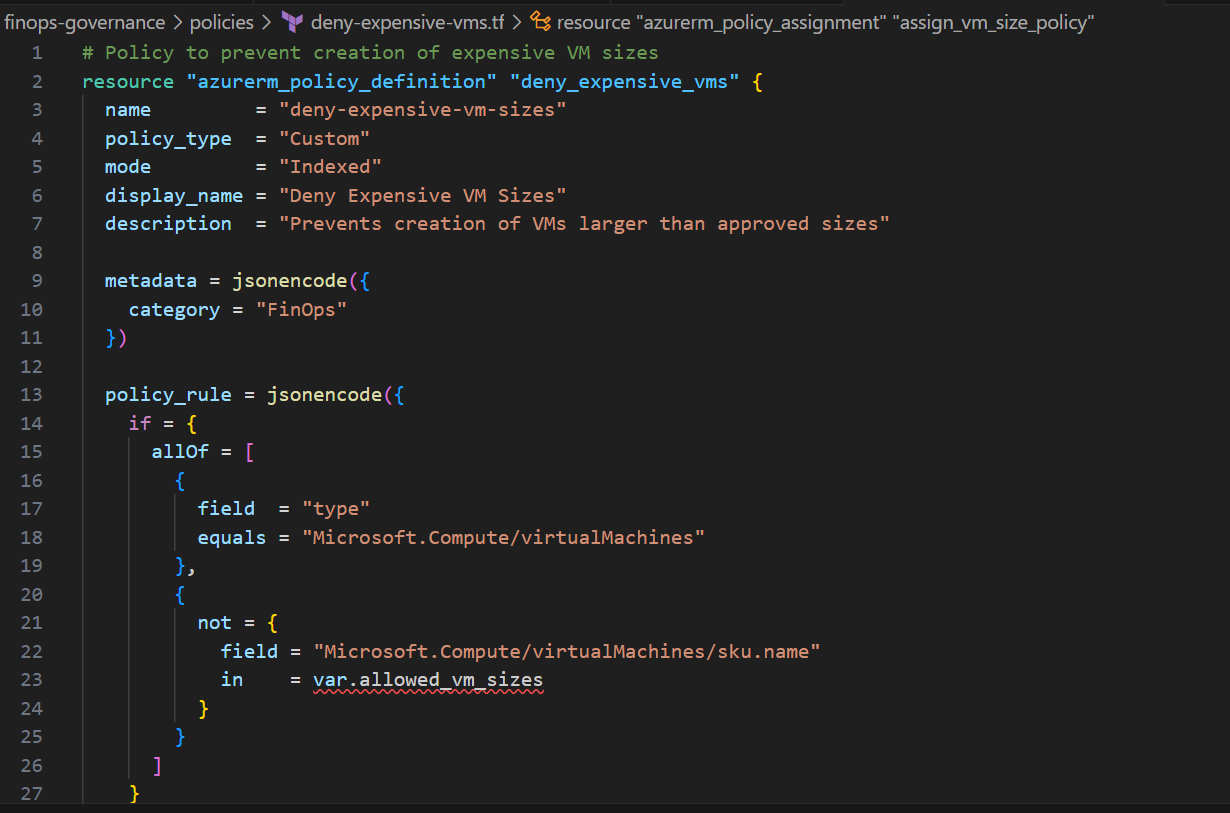
Create deny-expensive-vms.tf:
# ===================================
# POLICY: Block Expensive VM Sizes
# ===================================

resource "azurerm_policy_definition" "deny_expensive_vms" {
  name         = "deny-expensive-vm-sizes"
  policy_type  = "Custom"
  mode         = "Indexed"
  display_name = "Deny Expensive VM Sizes"
  description  = "Only allows specific cost-effective VM sizes"

  metadata = jsonencode({
    category = "FinOps"
    version  = "1.0.0"
  })

  # The rule with allowed VM sizes
  policy_rule = jsonencode({
    if = {
      allOf = [
        # Check: Is this a VM?
        {
          field  = "type"
          equals = "Microsoft.Compute/virtualMachines"
        },
        # Check: Is the VM size NOT in our approved list?
        {
          not = {
            field = "Microsoft.Compute/virtualMachines/sku.name"
            in = [
              "Standard_B1s",    # ~$10/month
              "Standard_B2s",    # ~$40/month
              "Standard_D2s_v3"  # ~$100/month
            ]
          }
        }
      ]
    },
    then = {
      effect = "deny"
    }
  })
}

# Assign this policy to subscription
resource "azurerm_subscription_policy_assignment" "enforce_vm_sizes" {
  name                 = "enforce-approved-vm-sizes"
  display_name         = "Only Allow Approved VM Sizes"
  description          = "Restricts VM creation to cost-effective sizes only"
  policy_definition_id = azurerm_policy_definition.deny_expensive_vms.id
  subscription_id      = data.azurerm_subscription.primary.id
  enforce              = true

  metadata = jsonencode({
    assignedBy = "DevOps Team"
    category   = "Cost Control"
  })
}
Why this matters: Prevents developers from accidentally spinning up expensive VMs.
What this does:
- Defines a list of “approved” VM sizes (cheap ones)
- Blocks any VM creation that uses a different size
Real-world prices (approximate):
- Standard_B1s: $10/month (good for testing)
- Standard_D2s_v3: $100/month (good for dev)
- Standard_D16s_v3: $800/month (expensive! We’ll block this)
Step 5: Create Outputs
Create outputs.tf:
output "policy_require_tags_id" {
  description = "The ID of the 'Require Cost Tags' policy definition"
  value       = azurerm_policy_definition.require_cost_tags.id
}

output "policy_require_tags_name" {
  description = "The name of the 'Require Cost Tags' policy definition"
  value       = azurerm_policy_definition.require_cost_tags.name
}

output "policy_deny_expensive_vms_id" {
  description = "The ID of the 'Deny Expensive VMs' policy definition"
  value       = azurerm_policy_definition.deny_expensive_vms.id
}

output "policy_deny_expensive_vms_name" {
  description = "The name of the 'Deny Expensive VMs' policy definition"
  value       = azurerm_policy_definition.deny_expensive_vms.name
}

Deploying the Policies
Manual Deployment
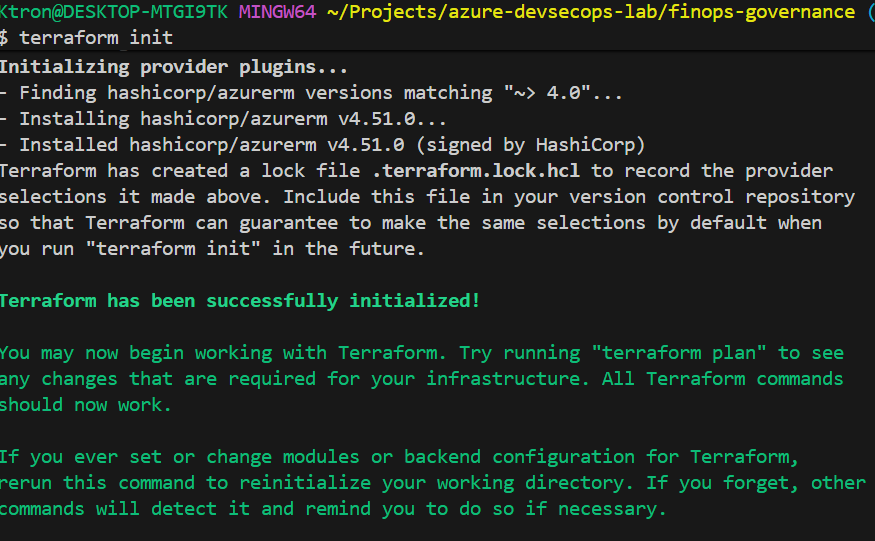
# 1. Initialize Terraform
terraform init

# 2. See what will be created
terraform plan

# 3. Apply the configuration
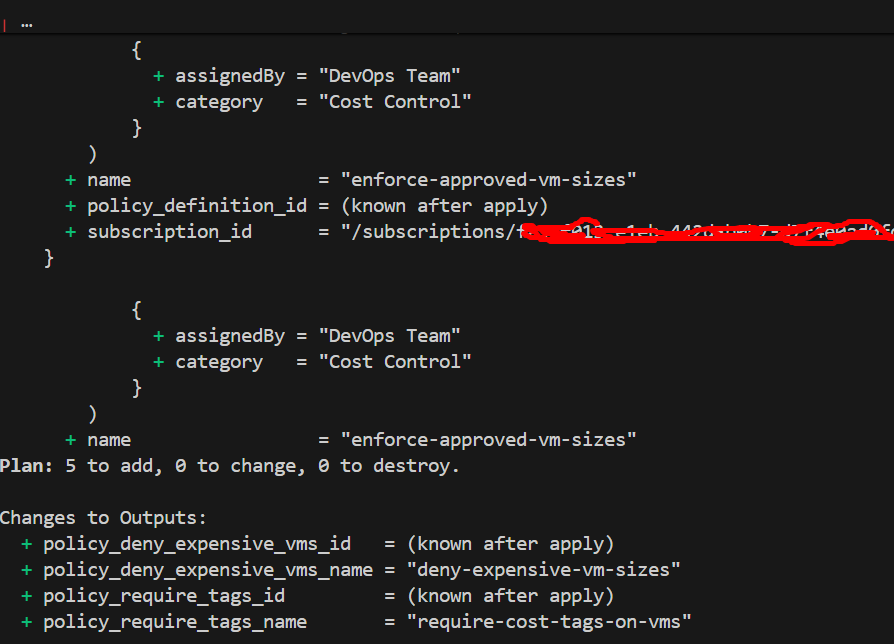
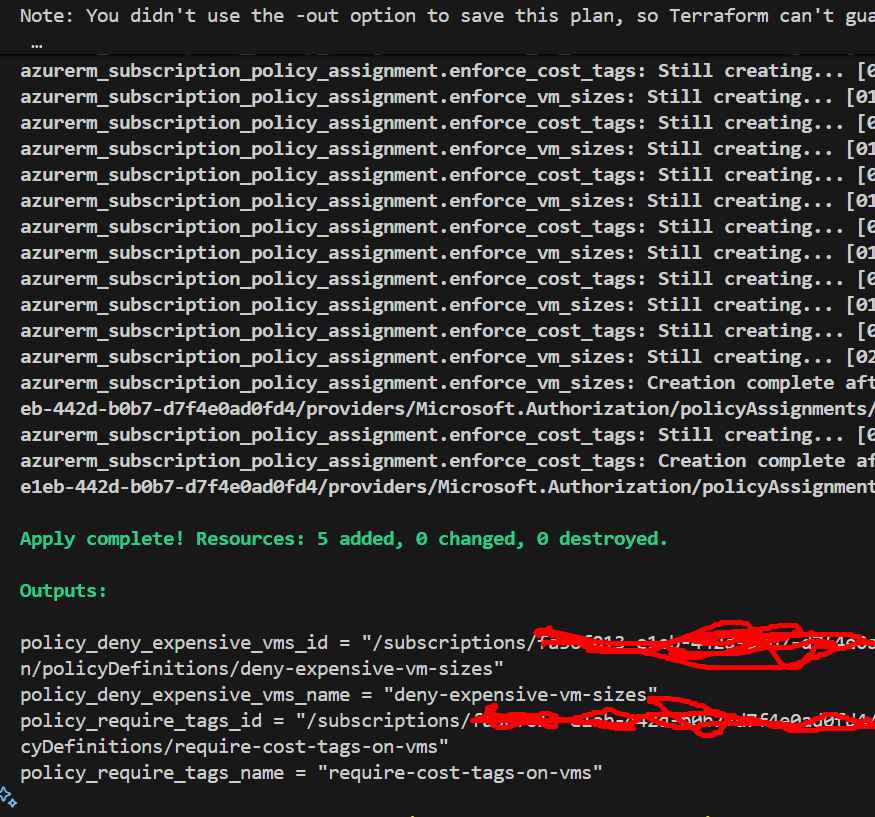
terraform apply -auto-approve

# 4. Verify policies are created
az policy assignment list --query "[].{Name:name, DisplayName:displayName}"

Step 7: Test the Policies
Test 1: Try creating a VM without tags
az vm create --resource-group rg-finops-governance-test --name test-vm-no-tags --image Ubuntu2204 --size Standard_B1s --admin-username azureuser --generate-ssh-keys
Expected result: Azure denies the request with a policy violation error!

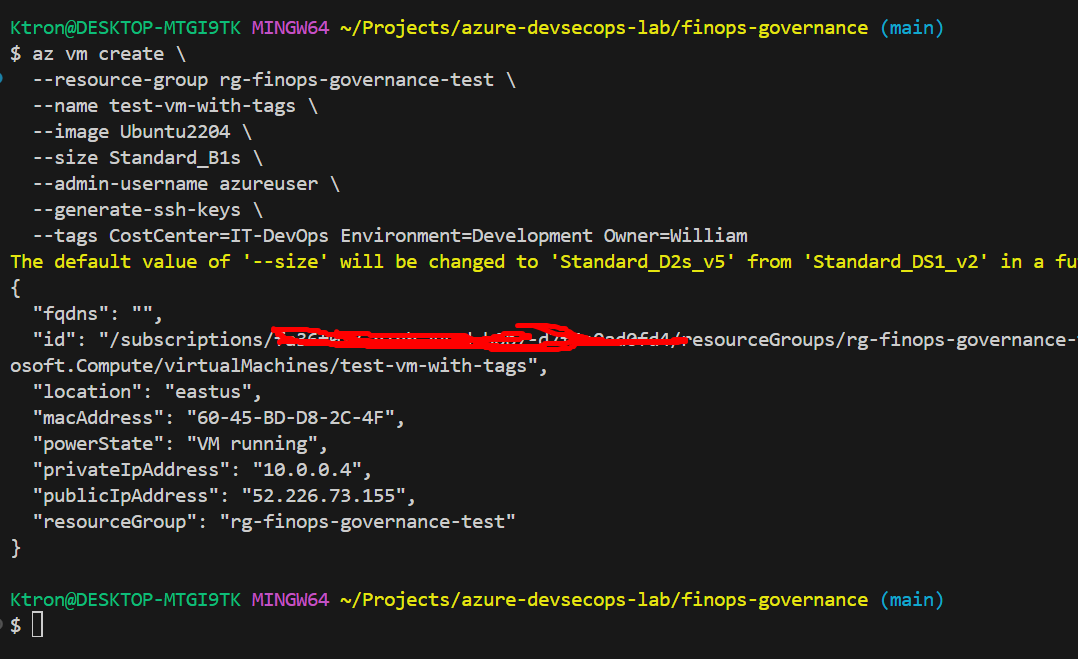
Test 2: Create a VM with proper tags
az vm create \
  --resource-group rg-finops-governance-test \
  --name test-vm-with-tags \
  --image Ubuntu2204 \
  --size Standard_B1s \
  --admin-username azureuser \
  --generate-ssh-keys \
  --tags CostCenter=IT-DevOps Environment=Development Owner=YourName
Expected result: VM is created successfully!
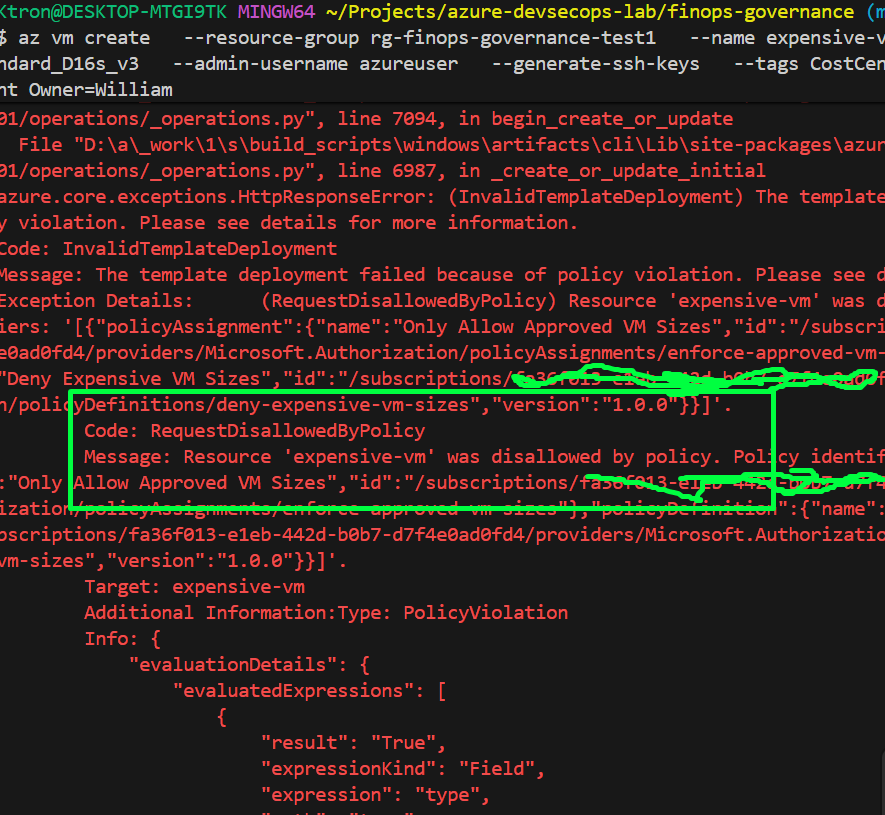
Test 3: Try creating an expensive VM
az vm create \
  --resource-group rg-finops-governance-test \
  --name expensive-vm \
  --image Ubuntu2204 \
  --size Standard_D16s_v3 \
  --admin-username azureuser \
  --generate-ssh-keys \
  --tags CostCenter=IT-DevOps Environment=Development Owner=YourName
Expected result: Denied because VM size is not in allowed list!
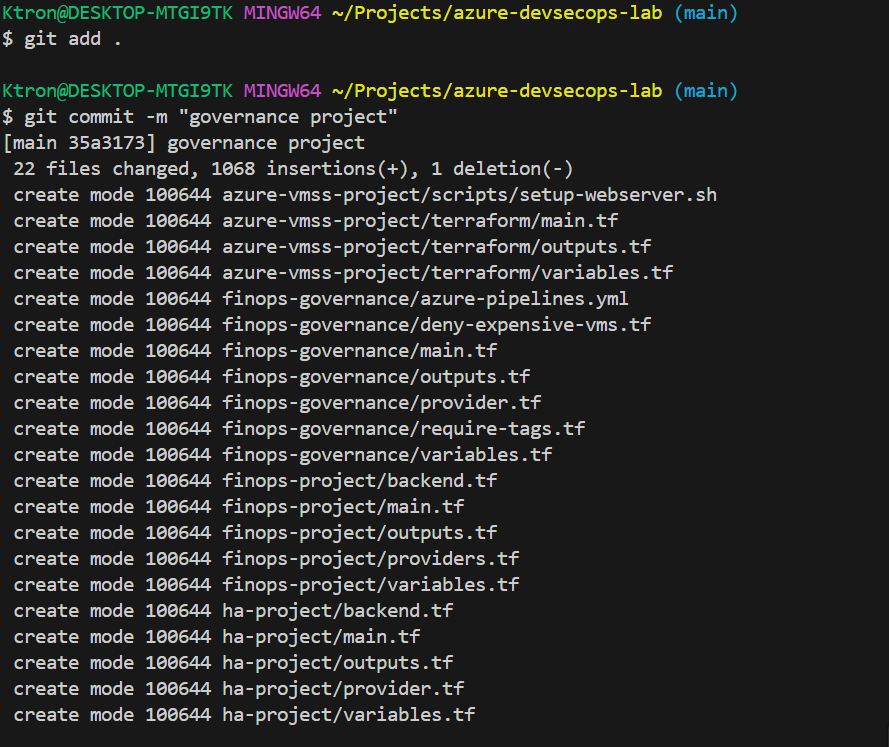
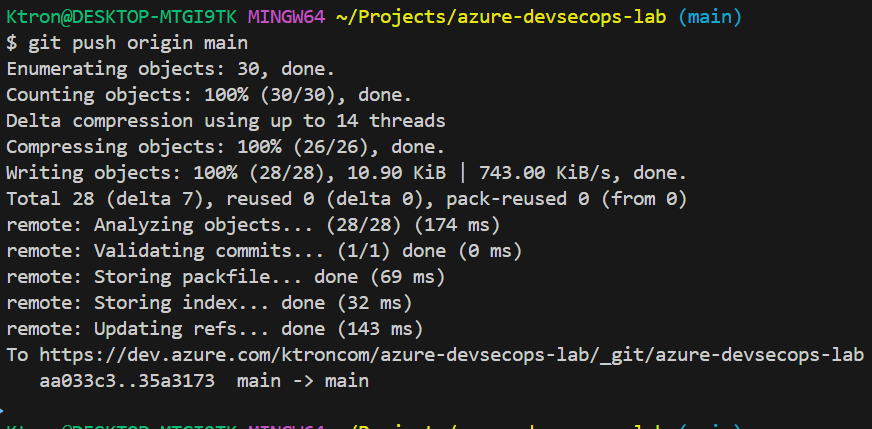
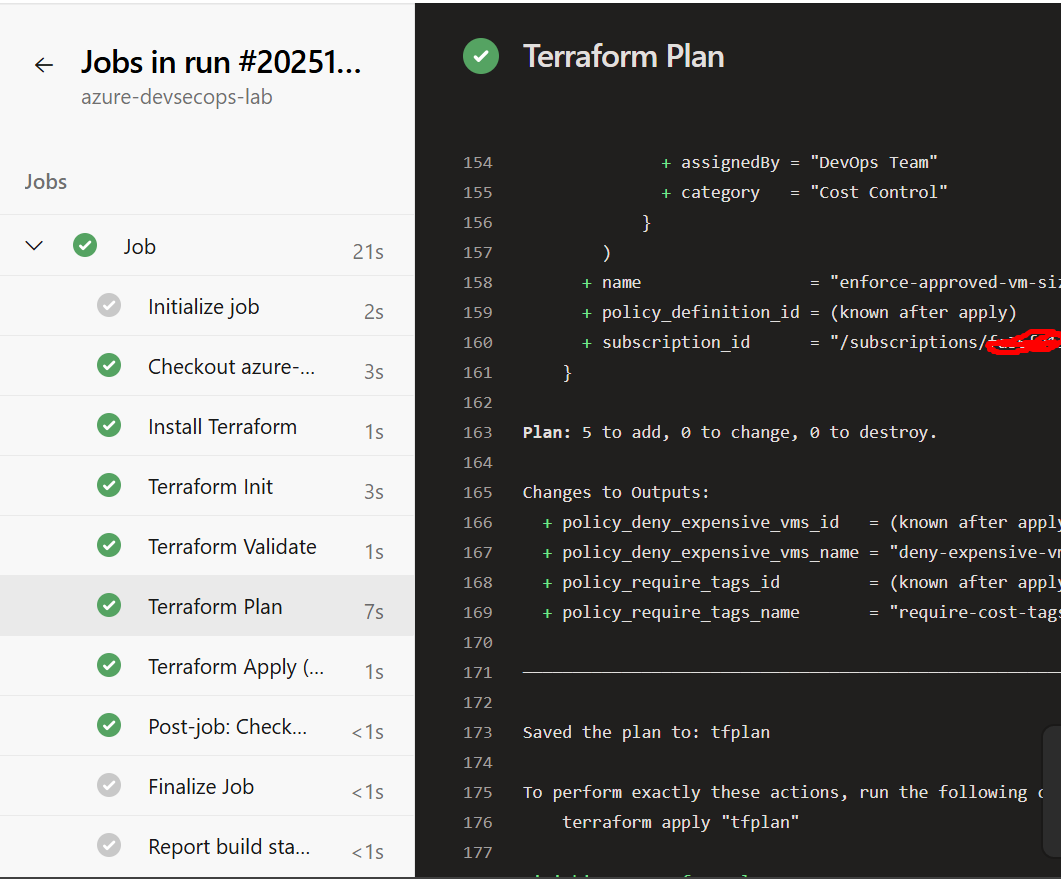
Step 8: Automate with Azure DevOps
Note: Ensure your serrvice principal has the Resource-Policy persmission, you can use the command below
az role assignment create \
--assignee <Client-ID> \
--role "Resource Policy Contributor" \
--scope /subscriptions/<Subscription-ID>
Create azure-pipelines.yml:
trigger:
  branches:
    include:
      - main
  paths:
    include:
      - '**/*.tf'

pool:
  vmImage: 'ubuntu-latest'

variables:
  terraformVersion: '1.6.0'

stages:
  - stage: Validate
    jobs:
      - job: TerraformValidate
        steps:
          - task: TerraformInstaller@0
            inputs:
              terraformVersion: $(terraformVersion)

          - task: TerraformTaskV4@4
            displayName: 'Terraform Init'
            inputs:
              provider: 'azurerm'
              command: 'init'
              backendServiceArm: 'Azure-Service-Connection'

          - task: TerraformTaskV4@4
            displayName: 'Terraform Validate'
            inputs:
              provider: 'azurerm'
              command: 'validate'

  - stage: Plan
    dependsOn: Validate
    jobs:
      - job: TerraformPlan
        steps:
          - task: TerraformTaskV4@4
            displayName: 'Terraform Plan'
            inputs:
              provider: 'azurerm'
              command: 'plan'
              environmentServiceNameAzureRM: 'Azure-Service-Connection'

  - stage: Apply
    dependsOn: Plan
    condition: and(succeeded(), eq(variables['Build.SourceBranch'], 'refs/heads/main'))
    jobs:
      - deployment: TerraformApply
        environment: 'Production'
        strategy:
          runOnce:
            deploy:
              steps:
                - task: TerraformTaskV4@4
                  displayName: 'Terraform Apply'
                  inputs:
                    provider: 'azurerm'
                    command: 'apply'
                    commandOptions: '-auto-approve'
                    environmentServiceNameAzureRM: 'Azure-Service-Connection'
Conclusion
In this project, we’ve automated cloud governance like a true DevOps engineer. Instead of manually chasing down untagged resources and surprise bills, we’ve built a system that:
Prevents problems before they happen – No more $15,000 surprise bills
Enforces standards automatically – Every resource must follow the rules
Tracks costs accurately – Finance can see exactly who spent what
Scales effortlessly – Works for 10 resources or 10,000
The DevOps Mindset:
This project isn’t just about Azure Policy or Terraform it’s about bringing automation, accountability, and visibility to cloud costs. You’ve learned that:
- Policy as Code is just as important as Infrastructure as Code
- Prevention > Detection – Stop bad resources at creation, not cleanup later
- DevOps owns costs – It’s not just a finance problem


 Adedeji Awolesi
Leave a comment