
After months of automating application deployments and writing tests for application code, We can have this realization: infrastructure code had zero quality controls. One careless merge to main could create unencrypted storage accounts, expose sensitive data, or rack up unexpected cloud costs. While reviewing an incident where a developer accidentally deployed a storage account without HTTPS enforcement (a violation of our security policy), I knew something had to change. That’s when I discovered Terraform Cloud’s policy engine and Sentinel tools that let me write rules that would automatically block non-compliant infrastructure before it ever touched Azure.
What We’re Building
By the end of this guide, you’ll have:
✅ Terraform Cloud workspace integrated with GitHub for automatic runs
✅ Sentinel policies that enforce naming conventions and required tags
✅ Azure DevOps pipeline that triggers Terraform Cloud runs with approval gates
✅ Secure Azure Storage Account that demonstrates policy enforcement
✅ Complete DevSecOps workflow from code commit to production deployment
Architecture Overview
Here’s what our workflow looks like:
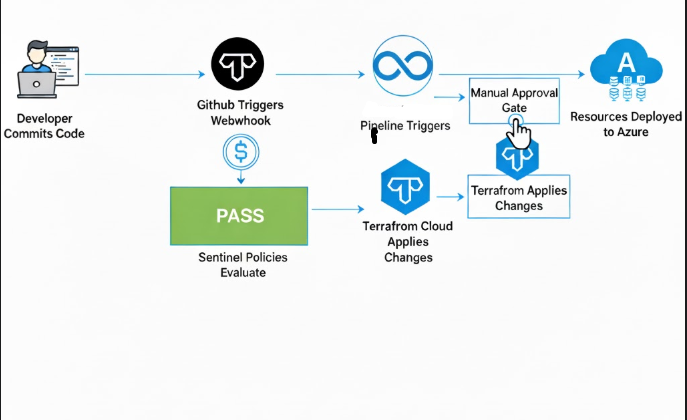
Phase 1: Setting Up Terraform Cloud
Step 1.1: Create Your Terraform Cloud Account
- Navigate to https://app.terraform.io/signup/account
- Sign up using your email or GitHub account
- Verify your email and complete the setup wizard

Step 1.2: Create an Organization
- Click “Create an organization”
- Organization name:
finops-devops-org(choose your own) - Email: Your work email
- Select plan: Free (sufficient for this tutorial)
- Click “Create organization”
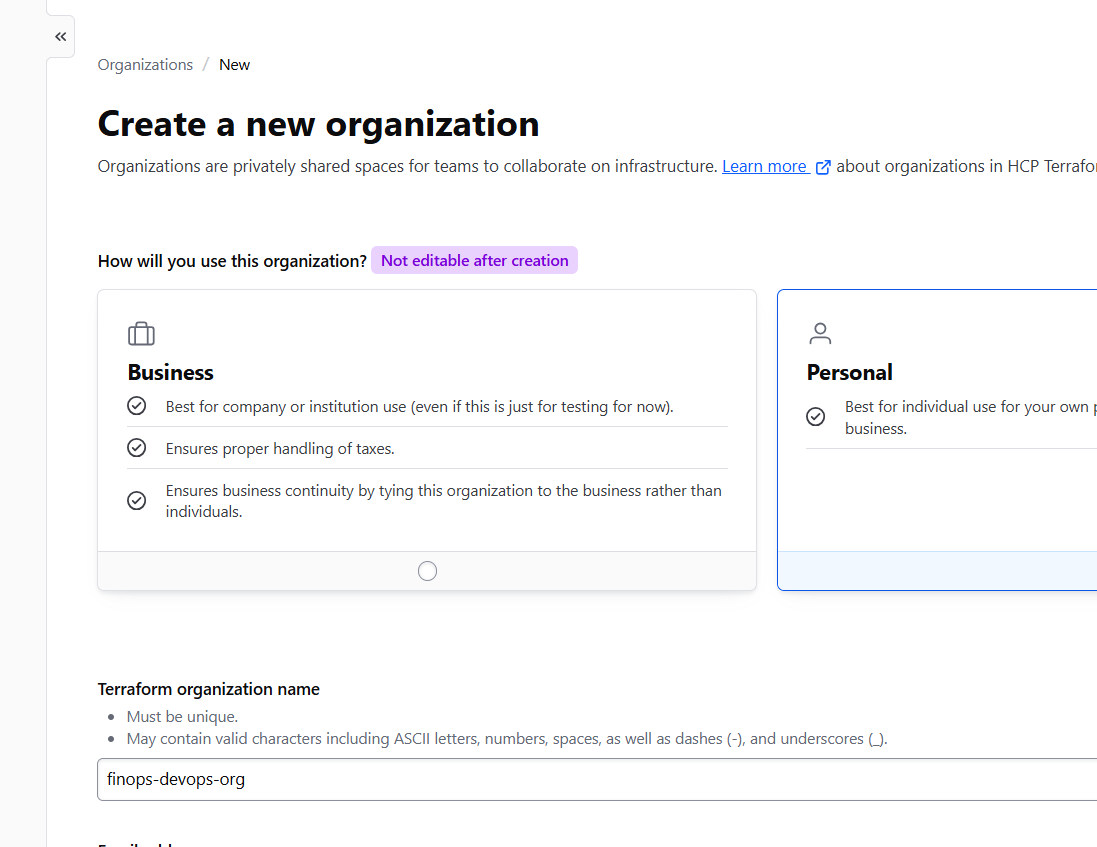
Pro Tip: Use a meaningful organization name that reflects your team or project. You can’t change it later without recreating everything.
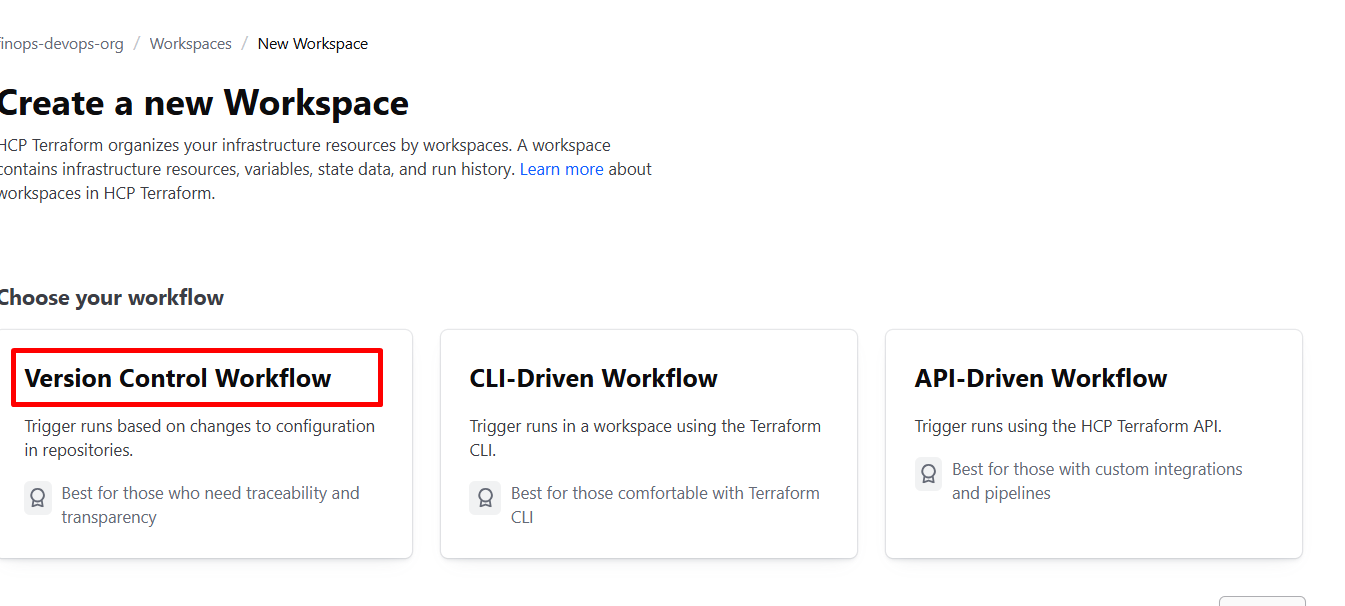
Step 1.3: Create a Workspace
- Click “New workspace”
- Choose workflow type: “Version Control Workflow”
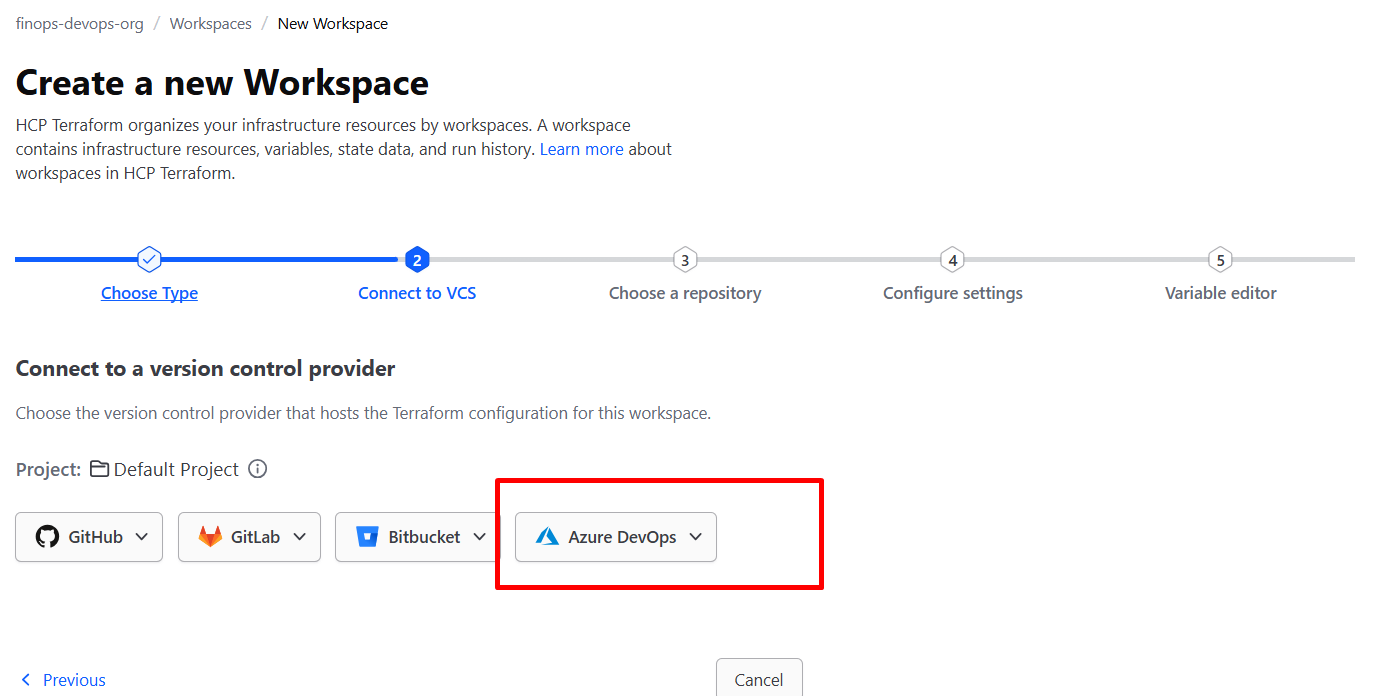
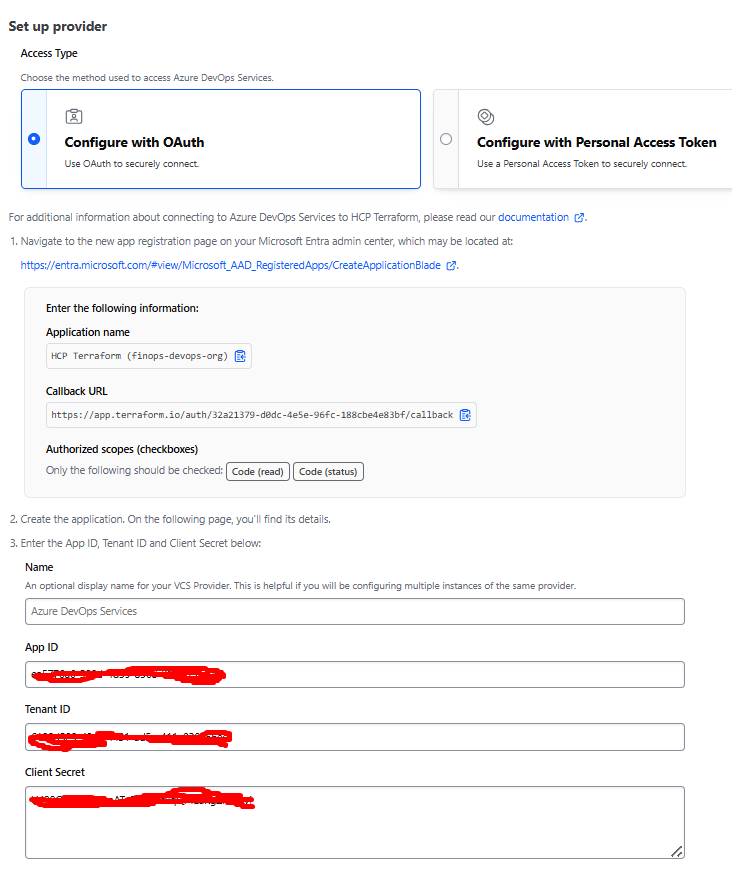
- Connect to Azure DevOps:
- Click Configure with Oauth
- Authorize Terraform Cloud to access your repositories with the ID that you used for the service connection of your Azure DevOps Orgainsation
- If this is your first time, you’ll need to install the Terraform Cloud GitHub App
- Select your repository: Choose
terraform-azure-finops(or create one now) - Workspace name:
azure-secure-storage-workspace - Advanced options:
- Working directory: Leave blank (or set to
/terraformif your code is in a subfolder) - Automatic Run Triggering: Enable
- Auto Apply: Leave disabled (we want manual approval)
- Working directory: Leave blank (or set to
- Click “Create workspace”

Phase 2: Creating Terraform Configuration
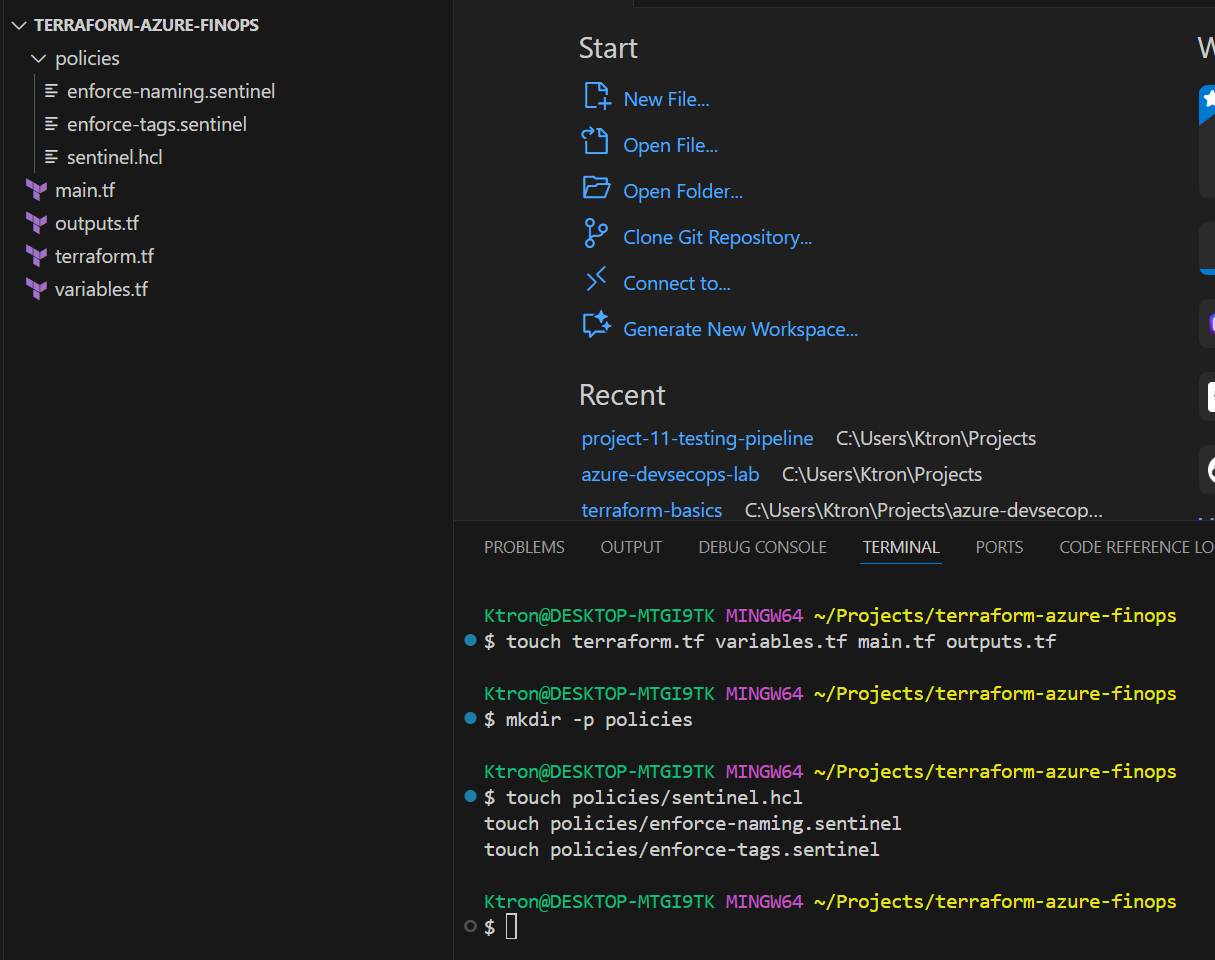
Step 2.1: Set Up Your Repository Structure
In your repository, create this folder structure:
terraform-azure-finops/
├── terraform.tf          # Backend and provider config
├── variables.tf          # Input variables
├── main.tf              # Main resources
├── outputs.tf           # Output values
└── policies/            # Sentinel policies
    ├── sentinel.hcl
    ├── enforce-naming.sentinel
    └── enforce-tags.sentinel
Step 2.2: Configure Terraform Cloud Backend
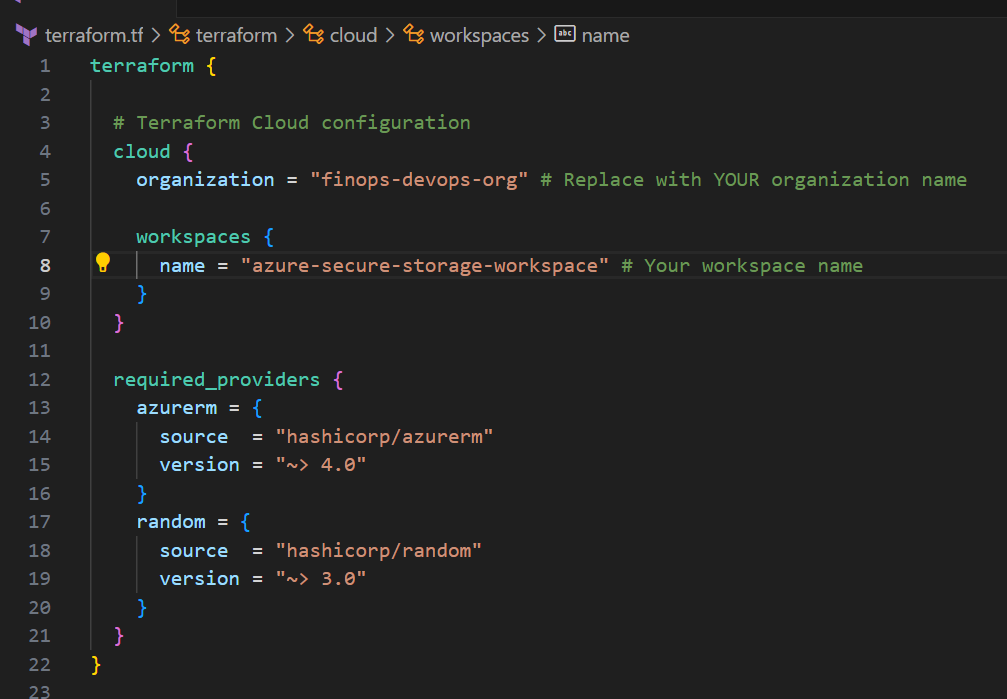
Create terraform.tf:
terraform {

  # Terraform Cloud configuration
  cloud {
    organization = "finops-devops-org"  # Replace with YOUR organization name

    workspaces {
      name = "azure-secure-storage-workspace"  # Your workspace name
    }
  }

  required_providers {
    azurerm = {
      source  = "hashicorp/azurerm"
      version = "~> 4.0"
    }
    random = {
      source  = "hashicorp/random"
      version = "~> 3.0"
    }
  }
}

provider "azurerm" {
  features {}
}
💡 What’s happening here?
Thecloudblock tells Terraform to store state remotely in Terraform Cloud instead of locally. This enables team collaboration and remote execution.
Step 2.3: Define Variables
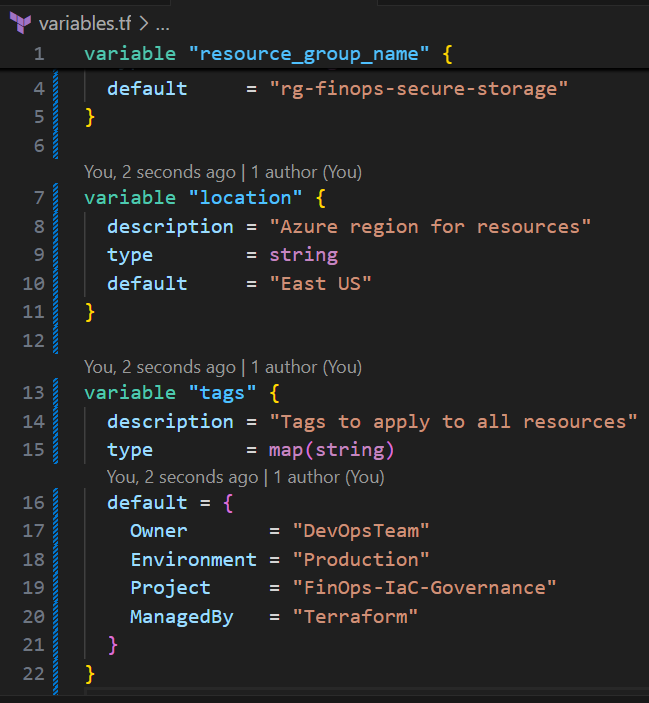
Create variables.tf:
variable "resource_group_name" {
  description = "Name of the Azure resource group"
  type        = string
  default     = "rg-finops-secure-storage"
}

variable "location" {
  description = "Azure region for resources"
  type        = string
  default     = "East US"
}

variable "tags" {
  description = "Tags to apply to all resources"
  type        = map(string)
  default = {
    Owner       = "DevOpsTeam"
    Environment = "Production"
    Project     = "FinOps-IaC-Governance"
    ManagedBy   = "Terraform"
  }
}
📝 Blog Note: Explain why tags matter for FinOps — cost allocation, resource tracking, compliance reporting.
Step 2.4: Create Main Resources
Create main.tf:
# Generate random suffix for globally unique storage account name
resource "random_id" "unique" {
  byte_length = 4
}

# Resource Group
resource "azurerm_resource_group" "rg" {
  name     = var.resource_group_name
  location = var.location
  tags     = var.tags
}

# Secure Storage Account with security best practices enforced
resource "azurerm_storage_account" "secure_storage" {
  name                     = "finopssecure${random_id.unique.hex}"
  resource_group_name      = azurerm_resource_group.rg.name
  location                 = azurerm_resource_group.rg.location
  account_tier             = "Standard"
  account_replication_type = "LRS"

  # Security configurations - These will be enforced by policies later
  https_traffic_only_enabled      = true
  min_tls_version                 = "TLS1_2"
  allow_nested_items_to_be_public = false

  # Enable blob versioning for data protection
  blob_properties {
    versioning_enabled = true

    delete_retention_policy {
      days = 7
    }
  }

  # Network security
  network_rules {
    default_action = "Deny"
    bypass         = ["AzureServices"]
  }

  tags = var.tags
}

# Private storage container
resource "azurerm_storage_container" "data" {
  name                  = "secure-data"
  storage_account_id    = azurerm_storage_account.secure_storage.id
  container_access_type = "private"
}
🔐 Security Highlights:
- HTTPS-only traffic
- TLS 1.2 minimum
- No public blob access
- Network access denied by default
- Blob versioning and soft delete enabled

Step 2.5: Define Outputs
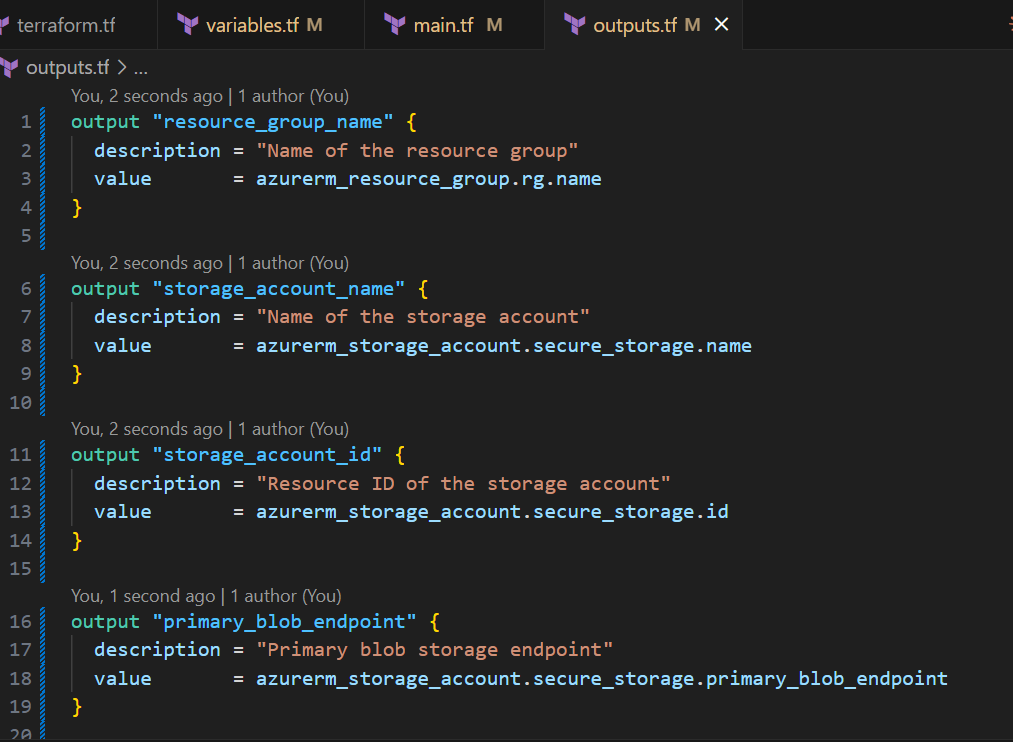
Create outputs.tf:
output "resource_group_name" {
  description = "Name of the resource group"
  value       = azurerm_resource_group.rg.name
}

output "storage_account_name" {
  description = "Name of the storage account"
  value       = azurerm_storage_account.secure_storage.name
}

output "storage_account_id" {
  description = "Resource ID of the storage account"
  value       = azurerm_storage_account.secure_storage.id
}

output "primary_blob_endpoint" {
  description = "Primary blob storage endpoint"
  value       = azurerm_storage_account.secure_storage.primary_blob_endpoint
}

output "compliance_status" {
  description = "Compliance configuration status"
  value = {
    https_only     = azurerm_storage_account.secure_storage.enable_https_traffic_only
    min_tls        = azurerm_storage_account.secure_storage.min_tls_version
    public_access  = azurerm_storage_account.secure_storage.allow_nested_items_to_be_public
  }
}
Step 2.6: Test Your Configuration Locally
Before pushing to GitHub, test locally:
# Login to Terraform Cloud
terraform login

# Follow the prompts to generate a token
# A browser window will open - create and copy the token
# Paste it back in the terminal

# Initialize Terraform
terraform init

# Validate configuration
terraform validate

# Preview changes
terraform plan
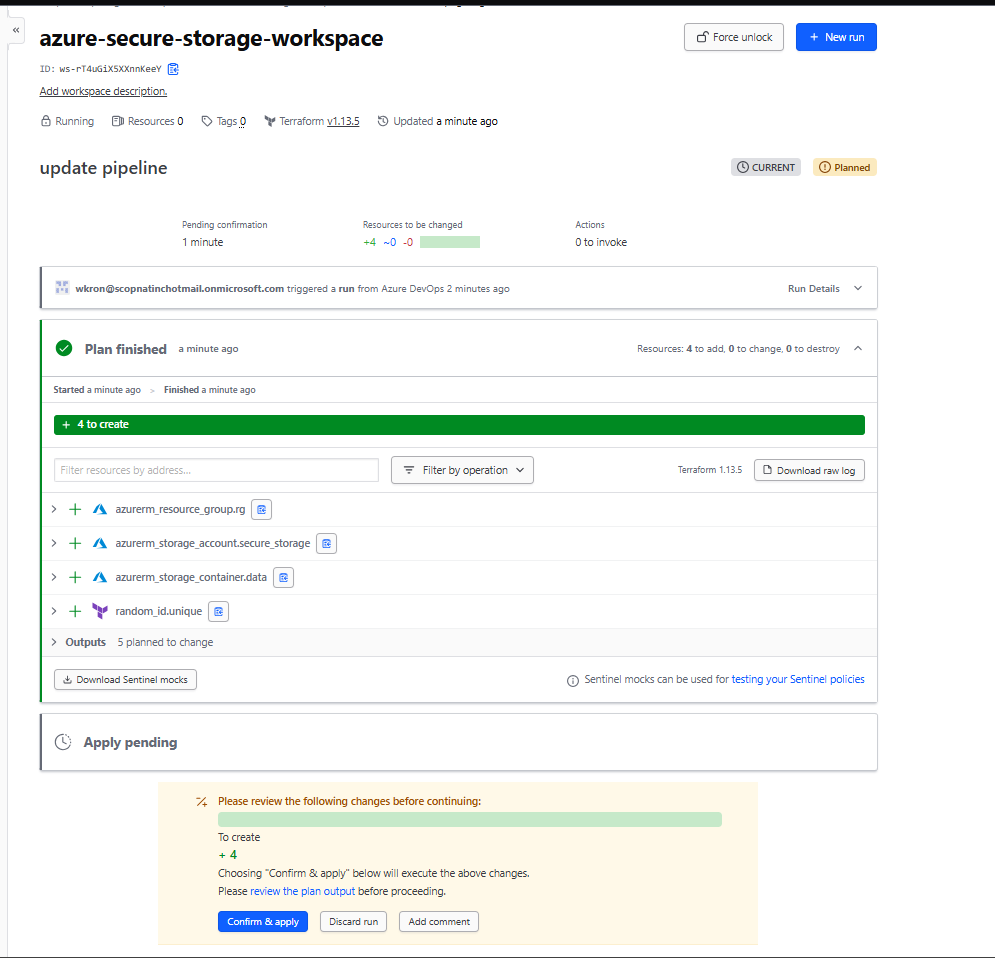
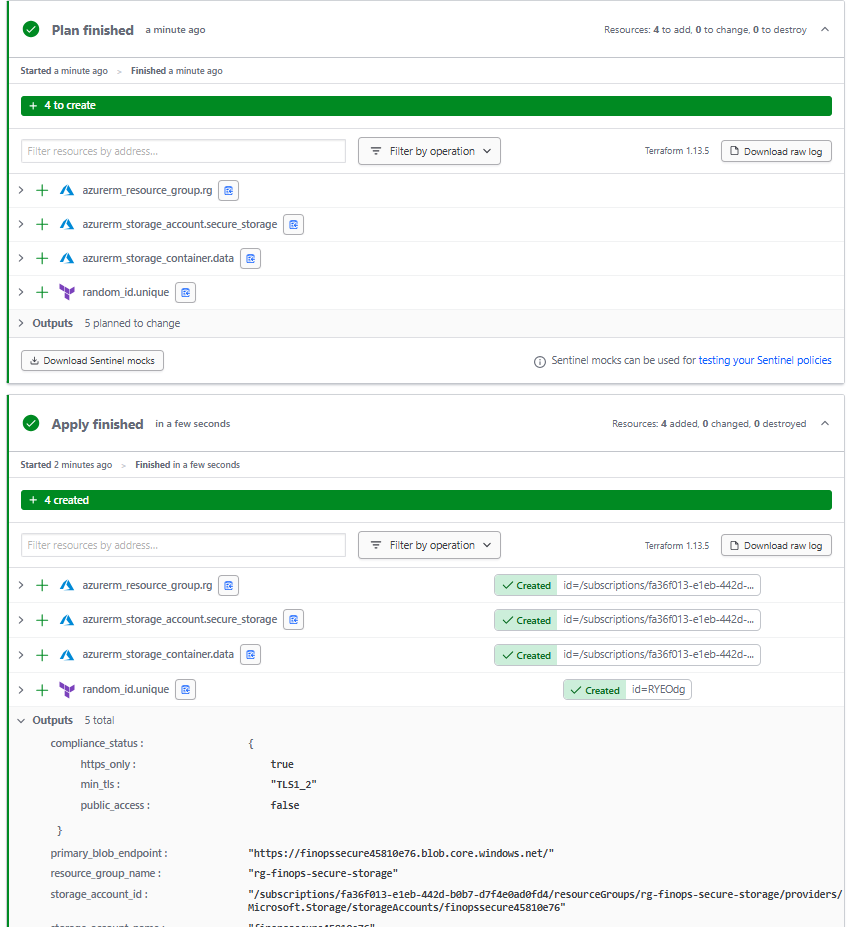
✅ Expected Output: You should see a plan to create 3 resources (resource group, storage account, container)
Phase 3: Implementing Sentinel Policies
This is where the magic happens. We’ll create policies that prevent non-compliant infrastructure from being deployed.
Step 3.1: Create Policy Configuration
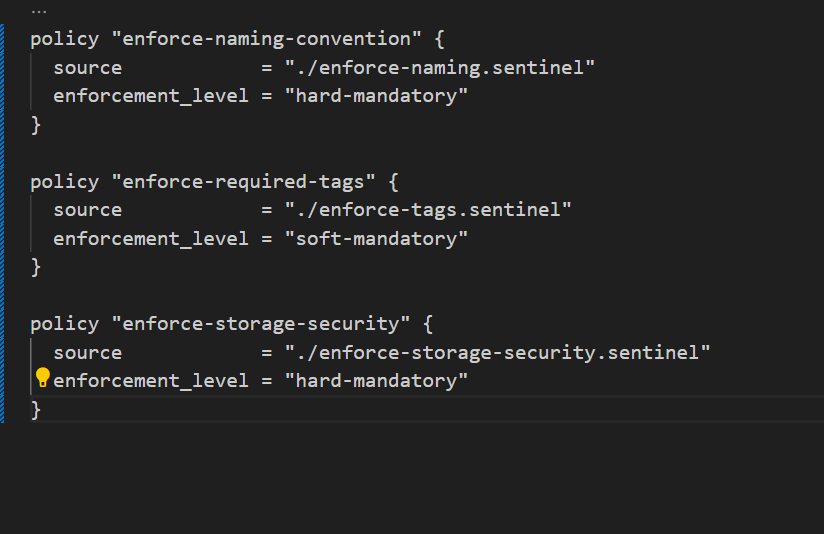
Create policies/sentinel.hcl:
policy "enforce-naming-convention" {
  source            = "./enforce-naming.sentinel"
  enforcement_level = "hard-mandatory"
}

policy "enforce-required-tags" {
  source            = "./enforce-tags.sentinel"
  enforcement_level = "soft-mandatory"
}

policy "enforce-storage-security" {
  source            = "./enforce-storage-security.sentinel"
  enforcement_level = "hard-mandatory"
}
Enforcement Levels Explained:
advisory– Warning only, doesn’t block deploymentsoft-mandatory– Blocks deployment but can be overridden by adminshard-mandatory– Absolutely blocks deployment, no exceptions
Step 3.2: Enforce Naming Convention
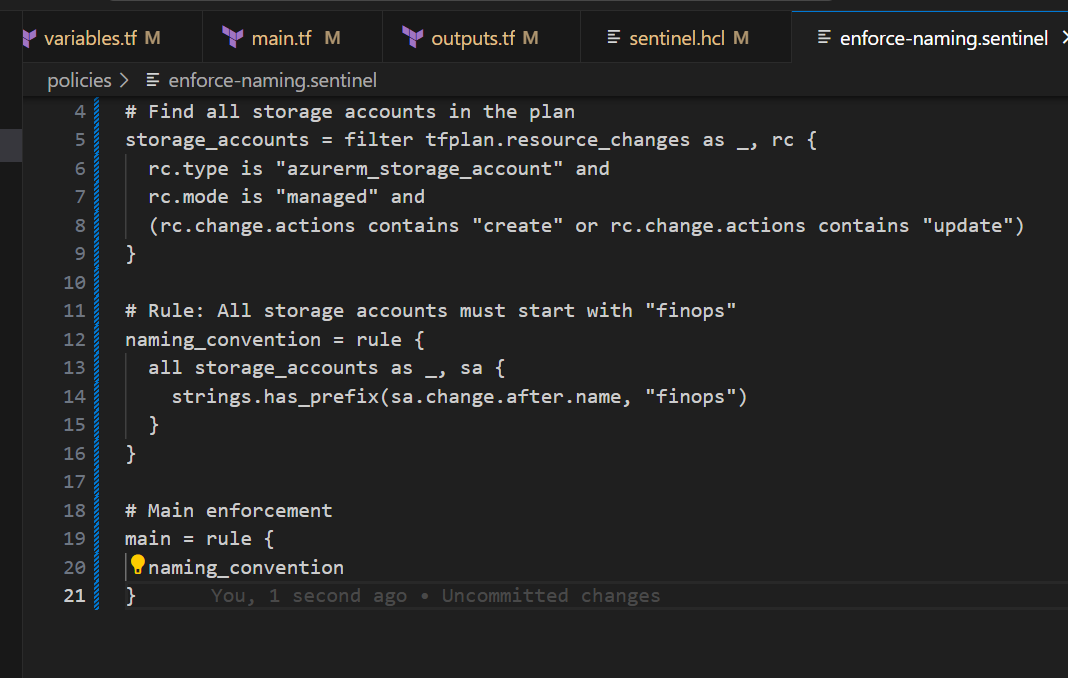
Create policies/enforce-naming.sentinel:
import "tfplan/v2" as tfplan
import "strings"

# Find all storage accounts in the plan
storage_accounts = filter tfplan.resource_changes as _, rc {
  rc.type is "azurerm_storage_account" and
  rc.mode is "managed" and
  (rc.change.actions contains "create" or rc.change.actions contains "update")
}

# Rule: All storage accounts must start with "finops"
naming_convention = rule {
  all storage_accounts as _, sa {
    strings.has_prefix(sa.change.after.name, "finops")
  }
}

# Main enforcement
main = rule {
  naming_convention
}
📝 Why This Matters: Consistent naming helps with cost tracking, access control, and resource discovery. Without policies, someone will inevitably create
storage123ormyteststorage.
Step 3.3: Enforce Required Tags
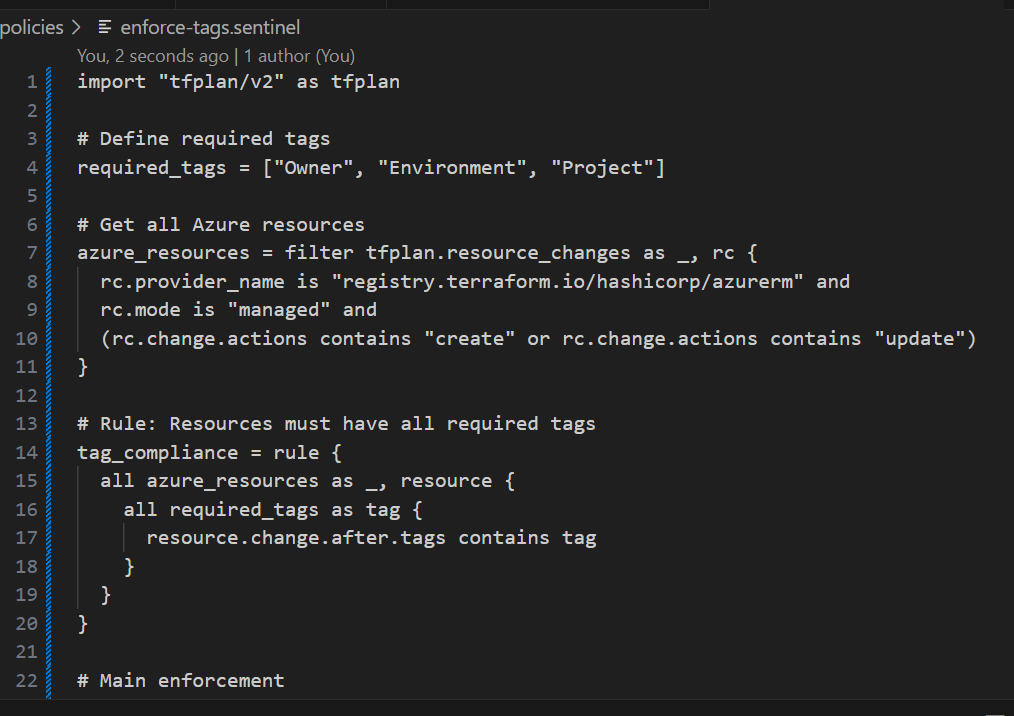
Create policies/enforce-tags.sentinel:
import "tfplan/v2" as tfplan

# Define required tags
required_tags = ["Owner", "Environment", "Project"]

# Get all Azure resources
azure_resources = filter tfplan.resource_changes as _, rc {
  rc.provider_name is "registry.terraform.io/hashicorp/azurerm" and
  rc.mode is "managed" and
  (rc.change.actions contains "create" or rc.change.actions contains "update")
}

# Rule: Resources must have all required tags
tag_compliance = rule {
  all azure_resources as _, resource {
    all required_tags as tag {
      resource.change.after.tags contains tag
    }
  }
}

# Main enforcement
main = rule {
  tag_compliance
}
💰 FinOps Impact: Without mandatory tags, you can’t answer “How much does the Marketing team spend on Azure?” Tags enable cost allocation, chargeback, and budget tracking.
Step 3.4: Enforce Storage Security
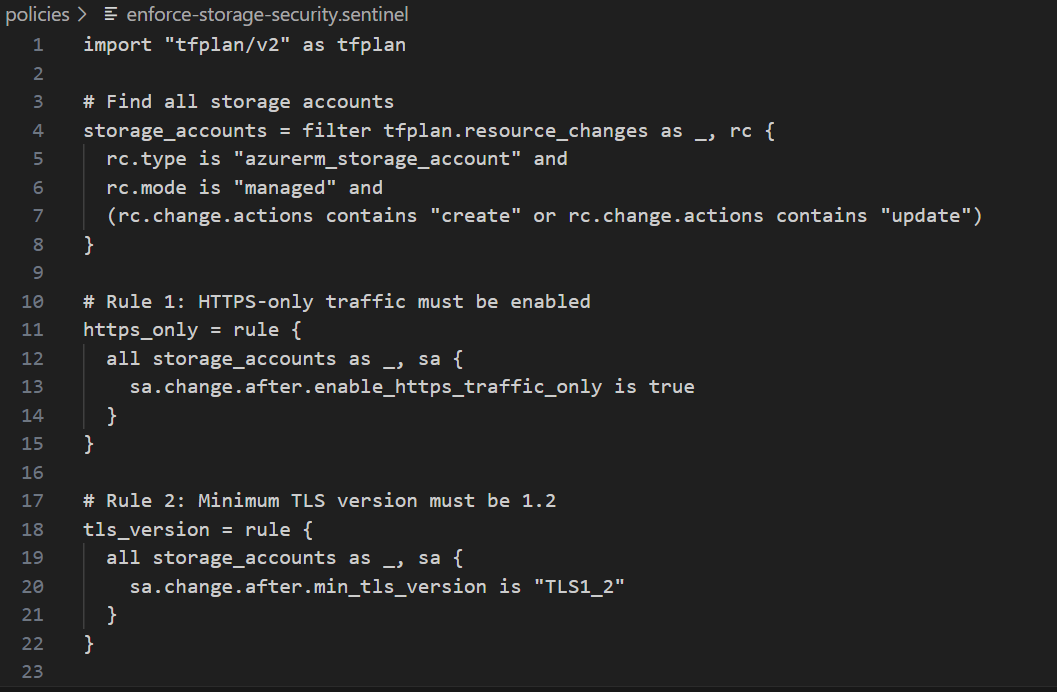
Create policies/enforce-storage-security.sentinel:
import "tfplan/v2" as tfplan

# Find all storage accounts
storage_accounts = filter tfplan.resource_changes as _, rc {
  rc.type is "azurerm_storage_account" and
  rc.mode is "managed" and
  (rc.change.actions contains "create" or rc.change.actions contains "update")
}

# Rule 1: HTTPS-only traffic must be enabled
https_only = rule {
  all storage_accounts as _, sa {
    sa.change.after.enable_https_traffic_only is true
  }
}

# Rule 2: Minimum TLS version must be 1.2
tls_version = rule {
  all storage_accounts as _, sa {
    sa.change.after.min_tls_version is "TLS1_2"
  }
}

# Rule 3: Public blob access must be disabled
no_public_access = rule {
  all storage_accounts as _, sa {
    sa.change.after.allow_nested_items_to_be_public is false
  }
}

# Main enforcement - ALL rules must pass
main = rule {
  https_only and tls_version and no_public_access
}
🔒 Security Win: This policy prevents the most common Azure storage misconfigurations that lead to data breaches.
Step 3.5: Configure Policy Set in Terraform Cloud
Upload Policies via Azure DevOps Pipeline (Advanced)
Note there are three methods, which are easier but might not be suitable for a Free account
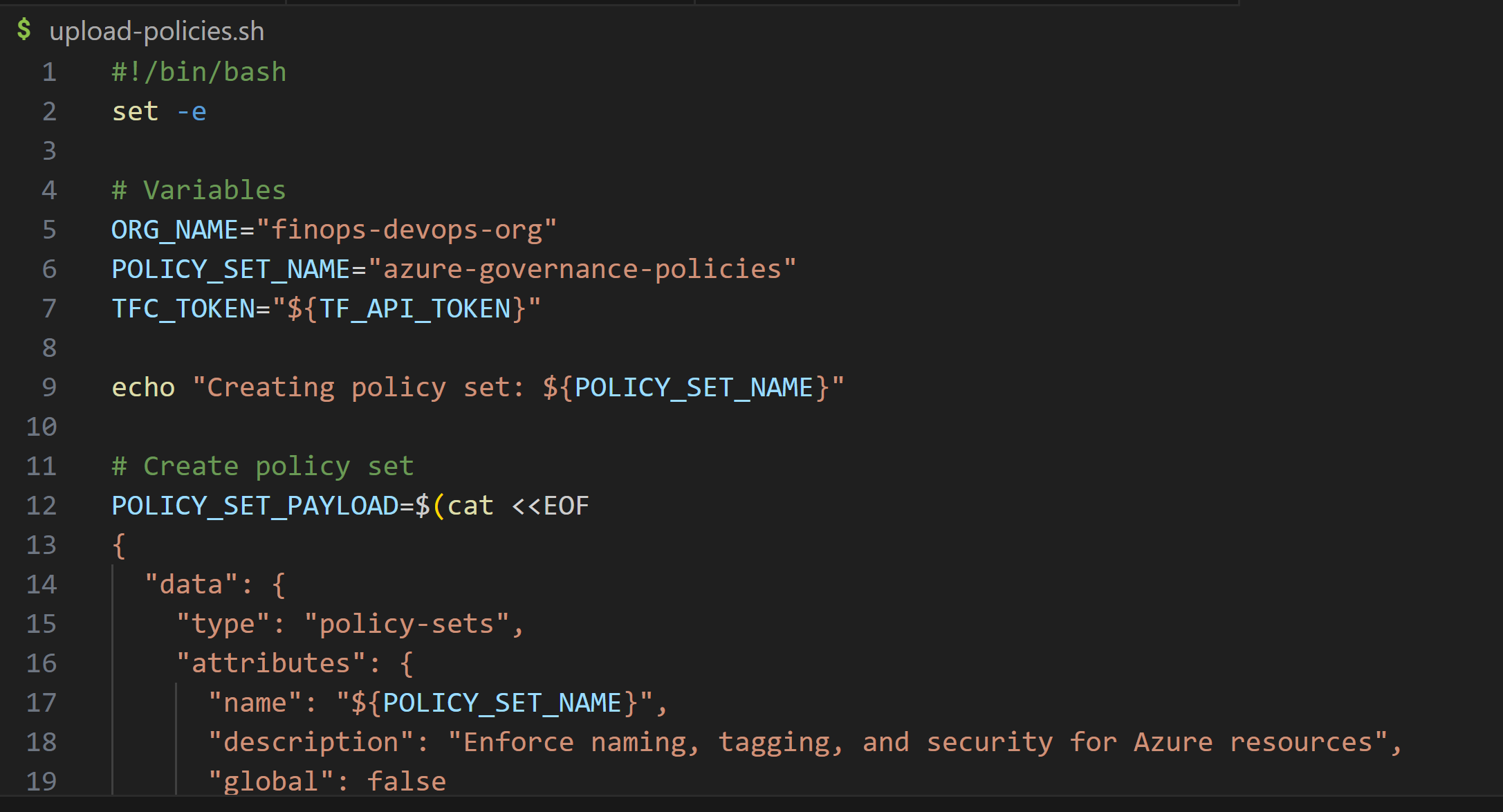
For teams that want full automation, you can upload policies using the Terraform Cloud API from your Azure DevOps pipeline.
Create a new file: upload-policies.sh
#!/bin/bash
set -e

# Variables
ORG_NAME="finops-devops-org"
POLICY_SET_NAME="azure-governance-policies"
TFC_TOKEN="${TF_API_TOKEN}"

echo "Creating policy set: ${POLICY_SET_NAME}"

# Create policy set
POLICY_SET_PAYLOAD=$(cat <<EOF
{
  "data": {
    "type": "policy-sets",
    "attributes": {
      "name": "${POLICY_SET_NAME}",
      "description": "Enforce naming, tagging, and security for Azure resources",
      "global": false
    },
    "relationships": {
      "workspaces": {
        "data": []
      }
    }
  }
}
EOF
)

POLICY_SET_RESPONSE=$(curl -s \
  --header "Authorization: Bearer ${TFC_TOKEN}" \
  --header "Content-Type: application/vnd.api+json" \
  --request POST \
  --data "${POLICY_SET_PAYLOAD}" \
  https://app.terraform.io/api/v2/organizations/${ORG_NAME}/policy-sets)

POLICY_SET_ID=$(echo $POLICY_SET_RESPONSE | jq -r '.data.id')
echo "Policy set created with ID: ${POLICY_SET_ID}"

# Function to upload a policy
upload_policy() {
  local policy_name=$1
  local policy_file=$2
  local enforcement_level=$3

  echo "Uploading policy: ${policy_name}"

  # Read policy content and escape for JSON
  POLICY_CONTENT=$(cat ${policy_file} | jq -Rs .)

  POLICY_PAYLOAD=$(cat <<EOF
{
  "data": {
    "type": "policies",
    "attributes": {
      "name": "${policy_name}",
      "enforce": [
        {
          "path": "${policy_name}.sentinel",
          "mode": "${enforcement_level}"
        }
      ],
      "policy": ${POLICY_CONTENT}
    }
  }
}
EOF
)

  curl -s \
    --header "Authorization: Bearer ${TFC_TOKEN}" \
    --header "Content-Type: application/vnd.api+json" \
    --request POST \
    --data "${POLICY_PAYLOAD}" \
    https://app.terraform.io/api/v2/policy-sets/$POLICY_SET_ID/policies

  echo "✅ Policy ${policy_name} uploaded successfully"
}

# Upload all policies
upload_policy "enforce-naming-convention" "policies/enforce-naming.sentinel" "hard-mandatory"
upload_policy "enforce-required-tags" "policies/enforce-tags.sentinel" "soft-mandatory"
upload_policy "enforce-storage-security" "policies/enforce-storage-security.sentinel" "hard-mandatory"

echo "✅ All policies uploaded successfully!"
Phase 4: Integrating with Azure DevOps
Now let’s add Azure DevOps pipelines for additional CI/CD controls and visibility.
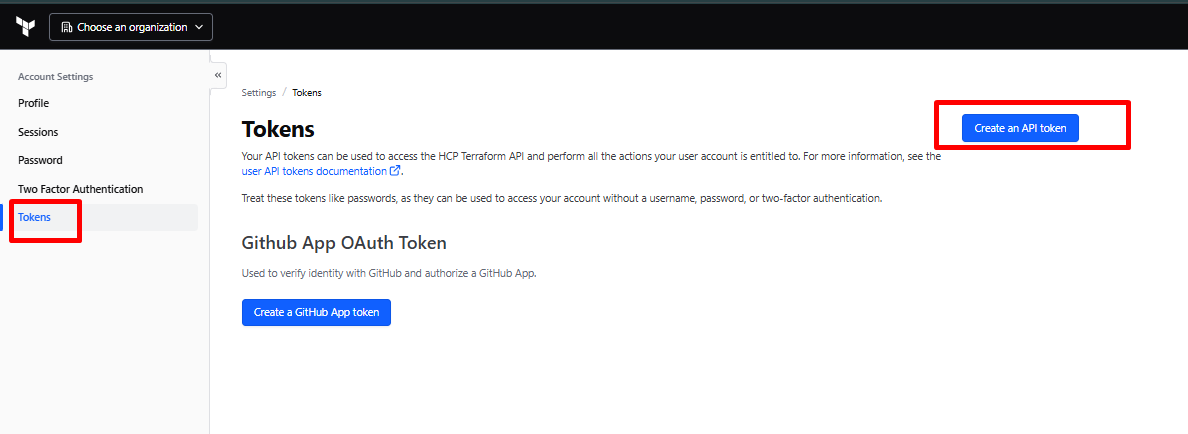
Step 4.1: Create Terraform Cloud API Token
- In Terraform Cloud: Account Settings → Tokens
- Click “Create an API token”
- Description: “Azure DevOps Integration”
- Copy the token (you won’t see it again!)
Step 4.2: Configure Azure DevOps
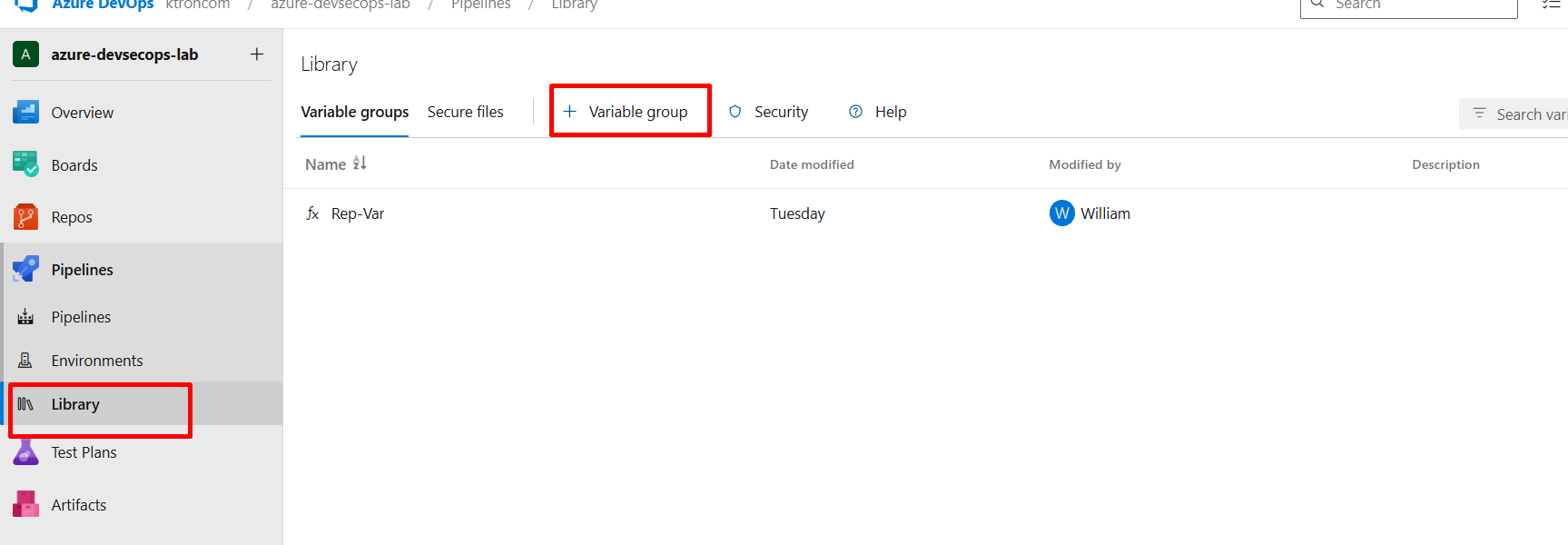
Create a Variable Group
- In Azure DevOps: Project Settings → Pipelines → Library
- Click “+ Variable group”
- Name:
terraform-cloud-credentials - Add variable:
- Name:
TF_API_TOKEN - Value: Paste your Terraform Cloud token
- Check: “Keep this value secret”
- Name:
- Click “Save”
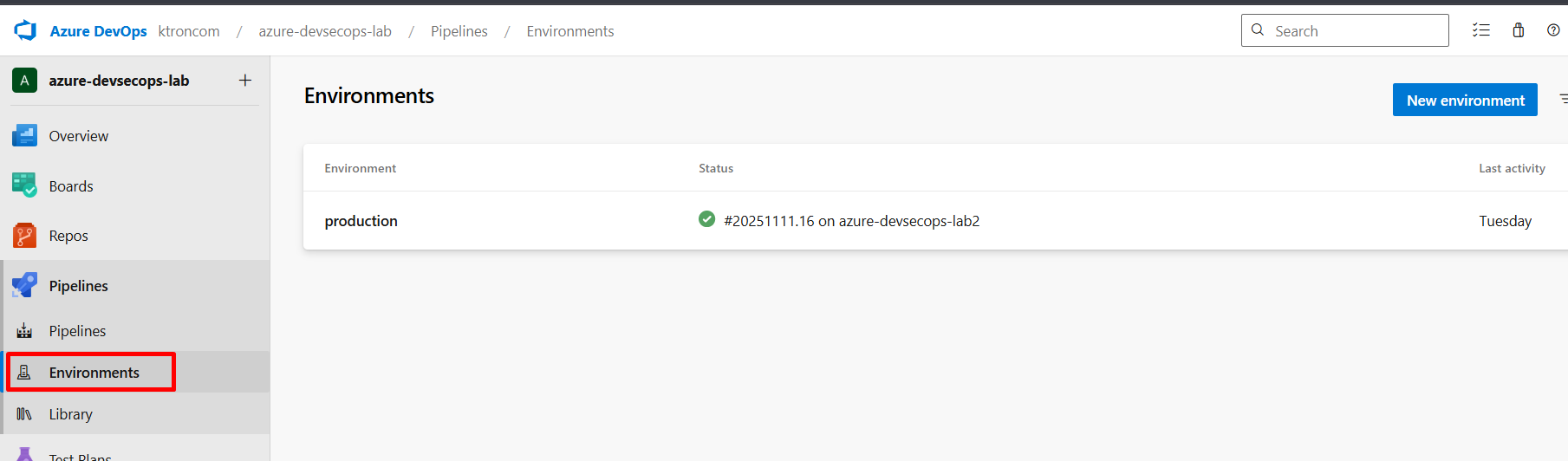
Step 4.3: Create Production Environment
- In Azure DevOps: Pipelines → Environments
- Click “Create environment”
- Name:
production - Description: “Production Azure infrastructure”
- Click “Create”
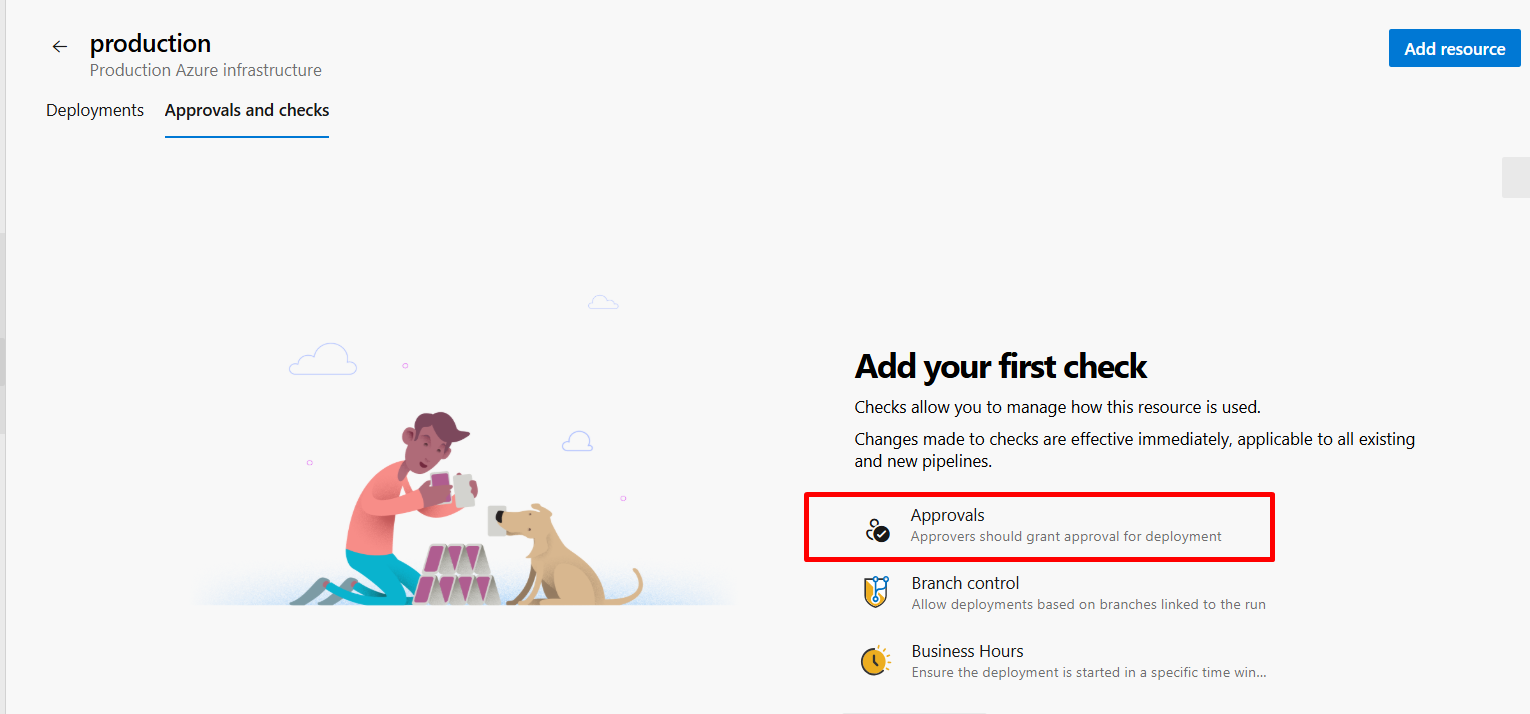
- Click the three dots → Approvals and checks
- Click “Approvals”
- Configuration:
- Approvers: Add yourself and team members
- Timeout: 30 days
- Minimum number of approvers: 1
- Click “Create”
Why This Matters: Even with policies, human approval adds a crucial checkpoint before production changes.
Step 4.4: Create Azure Pipeline
Create azure-pipelines.yml in your repository root:
trigger:
  branches:
    include:
      - main
  paths:
    include:
      - '*.tf'
      - policies/*

pool:
  vmImage: 'ubuntu-latest'

variables:
  - group: terraform-cloud-credentials

stages:
  # Stage 1: Validate and Plan
  - stage: ValidateAndPlan
    displayName: 'Terraform Validate & Plan'
    jobs:
      - job: TerraformValidation
        displayName: 'Validate Terraform Configuration'
        steps:
          - checkout: self

          - task: TerraformInstaller@0
            displayName: 'Install Terraform'
            inputs:
              terraformVersion: 'latest'

          - script: |
              # Configure Terraform Cloud authentication
              cat > ~/.terraformrc << EOF
              credentials "app.terraform.io" {
                token = "$(TF_API_TOKEN)"
              }
              EOF
            displayName: 'Configure Terraform Cloud Authentication'

          - script: |
              terraform init
              terraform fmt -check
              terraform validate
            displayName: 'Terraform Validation'
            continueOnError: false

          - script: |
              terraform plan -detailed-exitcode -out=tfplan
            displayName: 'Terraform Plan'
            name: TerraformPlan
            continueOnError: true

          - script: |
              echo "##vso[task.setvariable variable=PLAN_EXITCODE;isOutput=true]$?"
            name: SetExitCode
            displayName: 'Capture Plan Exit Code'

          - publish: $(System.DefaultWorkingDirectory)/tfplan
            artifact: terraform-plan
            displayName: 'Publish Terraform Plan'
            condition: succeeded()

  # Stage 2: Policy Check (happens in Terraform Cloud)
  - stage: PolicyCheck
    displayName: 'Sentinel Policy Evaluation'
    dependsOn: ValidateAndPlan
    jobs:
      - job: WaitForPolicies
        displayName: 'Wait for Terraform Cloud Policy Check'
        steps:
          - script: |
              echo "Sentinel policies are being evaluated in Terraform Cloud"
              echo "Check the Terraform Cloud UI for policy results"
              echo "This stage ensures policies have completed before moving to approval"
            displayName: 'Policy Check Information'

  # Stage 3: Manual Approval & Apply
  - stage: Apply
    displayName: 'Deploy to Azure'
    dependsOn:
      - ValidateAndPlan
      - PolicyCheck
    condition: |
      and(
        succeeded(),
        eq(variables['Build.SourceBranch'], 'refs/heads/main')
      )
    jobs:
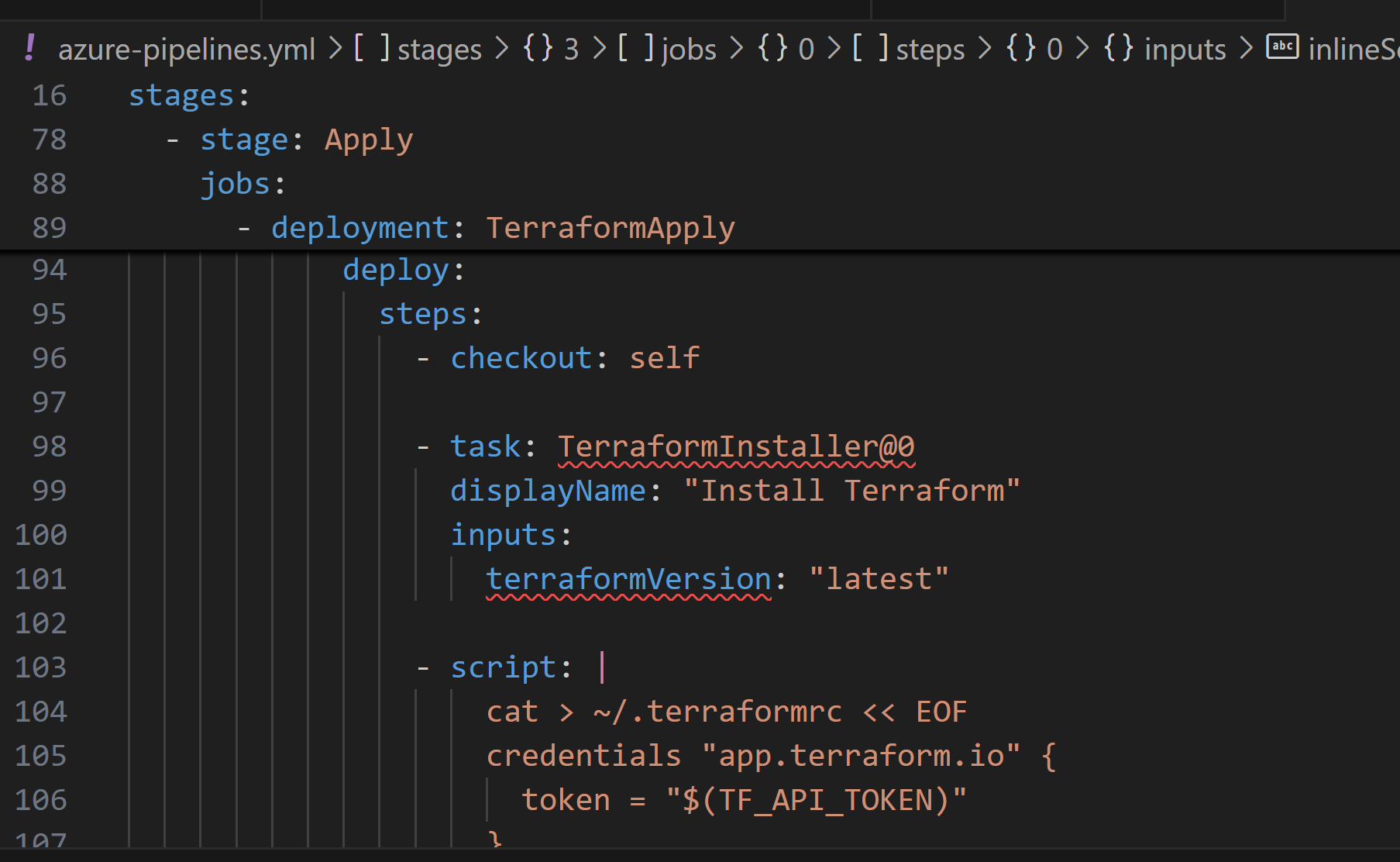
      - deployment: TerraformApply
        displayName: 'Apply Terraform Changes'
        environment: 'production'  # This triggers the approval gate
        strategy:
          runOnce:
            deploy:
              steps:
                - checkout: self

                - task: TerraformInstaller@0
                  displayName: 'Install Terraform'
                  inputs:
                    terraformVersion: 'latest'

                - script: |
                    cat > ~/.terraformrc << EOF
                    credentials "app.terraform.io" {
                      token = "$(TF_API_TOKEN)"
                    }
                    EOF
                  displayName: 'Configure Terraform Cloud Authentication'

                - script: |
                    terraform init
                    terraform apply -auto-approve
                  displayName: 'Terraform Apply'

                - script: |
                    echo "=== Deployment Summary ==="
                    terraform output -json | jq .
                  displayName: 'Show Deployment Outputs'

  # Stage 4: Validation
  - stage: PostDeploymentValidation
    displayName: 'Post-Deployment Checks'
    dependsOn: Apply
    jobs:
      - job: ValidateDeployment
        displayName: 'Validate Azure Resources'
        steps:
          - task: AzureCLI@2
            displayName: 'Verify Storage Account Security'
            inputs:
              azureSubscription: 'your-azure-subscription-connection'
              scriptType: 'bash'
              scriptLocation: 'inlineScript'
              inlineScript: |
                # Get storage account name from Terraform output
                STORAGE_ACCOUNT=$(terraform output -raw storage_account_name)
                RG_NAME=$(terraform output -raw resource_group_name)

                echo "Validating storage account: $STORAGE_ACCOUNT"

                # Check HTTPS enforcement
                HTTPS=$(az storage account show \
                  --name $STORAGE_ACCOUNT \
                  --resource-group $RG_NAME \
                  --query enableHttpsTrafficOnly -o tsv)

                if [ "$HTTPS" = "true" ]; then
                  echo "✅ HTTPS-only traffic is enabled"
                else
                  echo "❌ HTTPS-only traffic is NOT enabled"
                  exit 1
                fi

                # Check minimum TLS version
                TLS=$(az storage account show \
                  --name $STORAGE_ACCOUNT \
                  --resource-group $RG_NAME \
                  --query minimumTlsVersion -o tsv)

                if [ "$TLS" = "TLS1_2" ]; then
                  echo "✅ Minimum TLS version is 1.2"
                else
                  echo "❌ Minimum TLS version is not 1.2"
                  exit 1
                fi

                echo "=== All security validations passed ==="
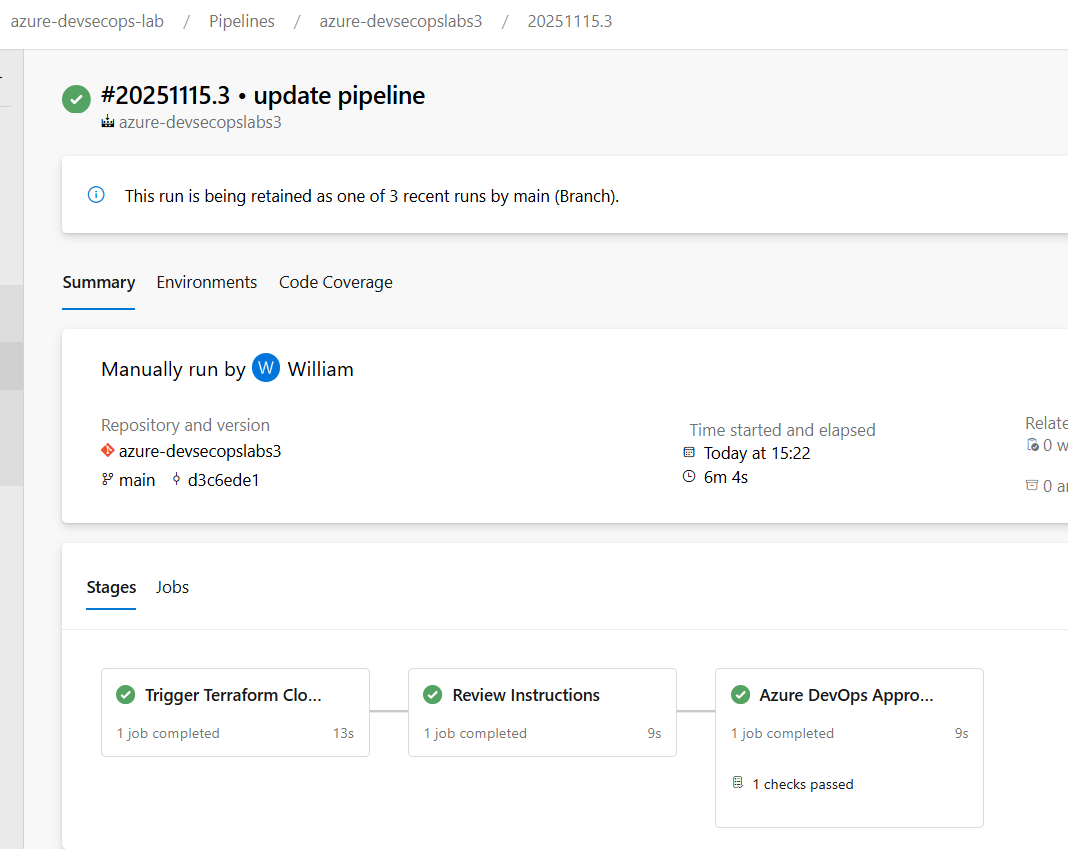
Pipeline Highlights:
- Runs validation before Terraform Cloud
- Waits for policy checks to complete
- Requires manual approval for production
- Validates deployed resources match security requirements
Phase 5: Testing the Full Workflow
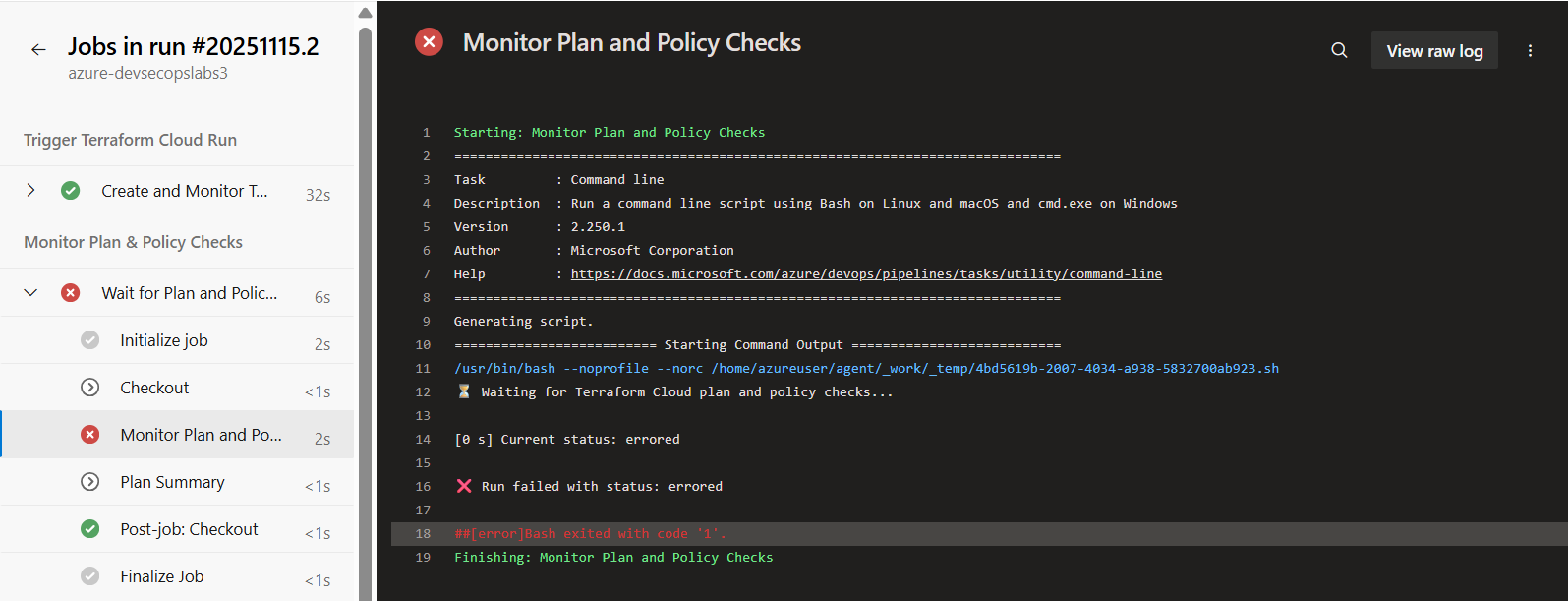
Test 1: Policy Violation (Naming)
- Modify
main.tfto intentionally violate naming:
resource "azurerm_storage_account" "secure_storage" {
  name = "badname${random_id.unique.hex}"  # Doesn't start with "finops"
  # ... rest of config
}
- Commit and push
- Watch Terraform Cloud → The run will fail at policy check
Conclusion
“Terraform Cloud transformed my IaC from ‘hope it works’ to ‘enforce it works’. Every resource now meets security and governance standards before it touches Azure. This is DevSecOps in action.”




 Adedeji Awolesi
Leave a comment