
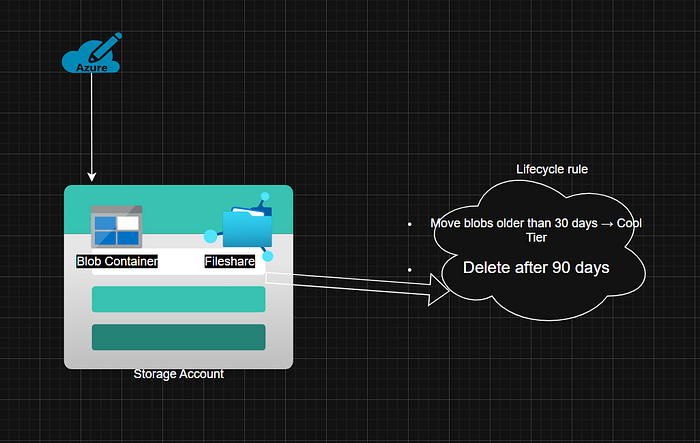
The second part of this AZ104 ten-day Project looks at a use case of an analytics team uploading daily log files into Azure Blob Storage. After 30 days, these files are rarely accessed, but they still take up space and cost money. The Goal here is to automatically move files older than 30 days to a cheaper tier (Cool Storage). Delete files older than 90 days to save cost.
Solution: Implement Lifecycle Management Policy on the Blob Container
Objective
We want to learn how to:
- Create a Storage Account (a safe digital box for our data).
- Create Blob Containers and File Shares (like folders inside that box).
- Set Lifecycle Management Rules (automatic cleanup and cost-saving).
- Understand Storage Tiers (Hot, Cool, Archive).
AZ-104 Skill Covered:
Manage Azure Storage Accounts and implement data lifecycle policies.
Architecture / Design Diagram
Step-by-Step Implementation (Azure Portal)
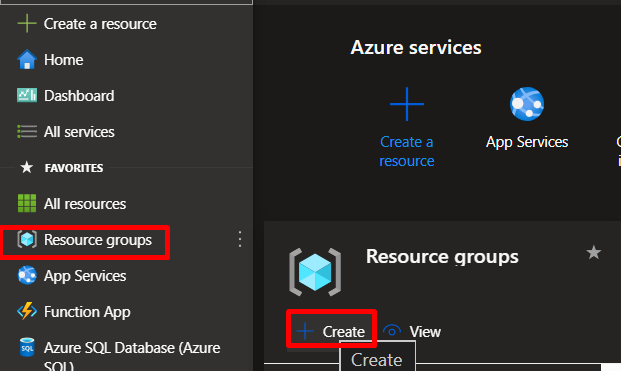
Step 1: Create a Resource Group
Go to Azure Portal → Resource Groups → + Create.
Name: rg-storage-lab
Region: East US
Click Review + Create → Create.
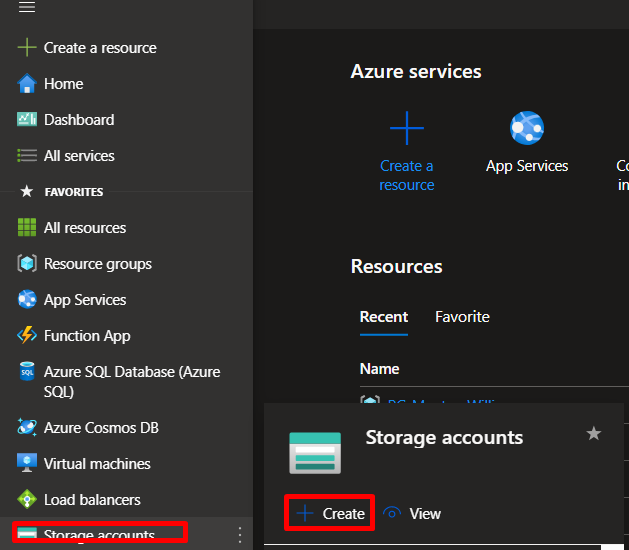
Step 2: Create a Storage Account
Navigate to Storage Accounts → + Create.
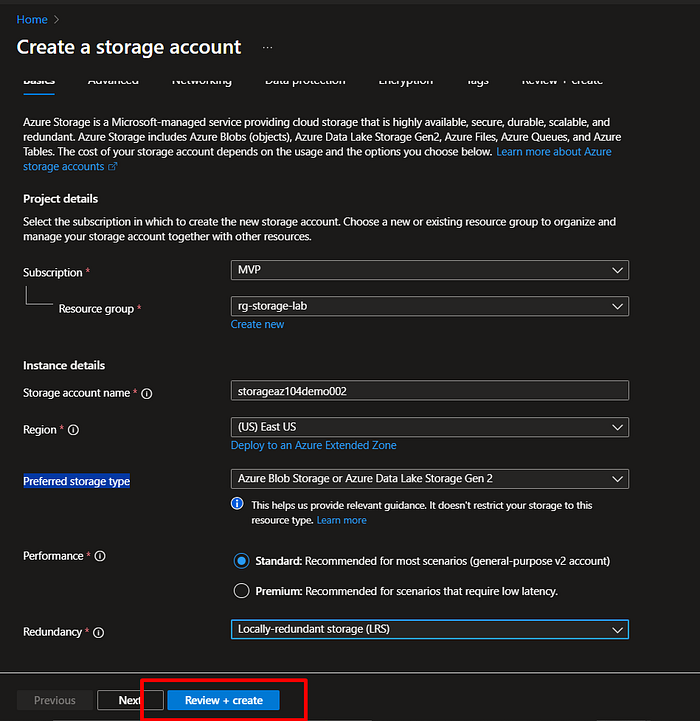
- Under Basics:
- Resource Group:
rg-storage-lab - Storage account name:
storageaz104demo002 - Region:
East US - Performance: Standard
- Preferred storage type: Azure Blob Storage or Azure Data Lake Storage Gen 2
- Redundancy: Locally redundant storage (LRS)
Click Review + Create → Create.
Step 3: Create a Blob Container
Open the new storage account.
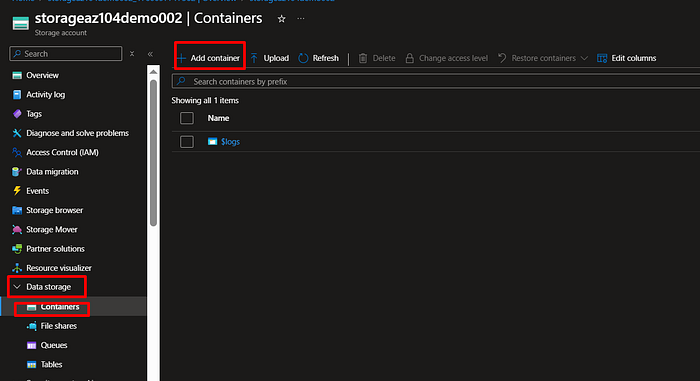
Under Data Storage, click Containers → + Container.
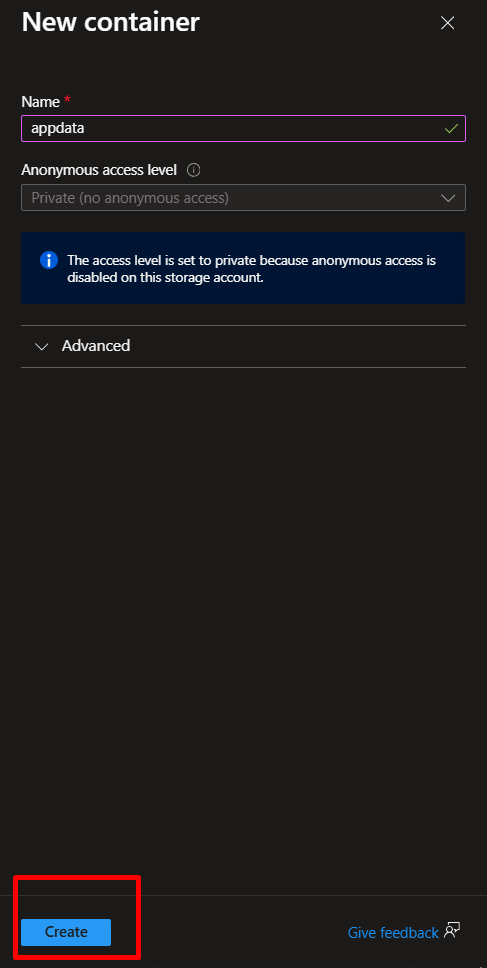
Name: appdata
Public access level: Private (no anonymous access)
Click Create.
Step 4: Add Lifecycle Management Rule
In the storage account, go to Lifecycle Management (under Data Management).
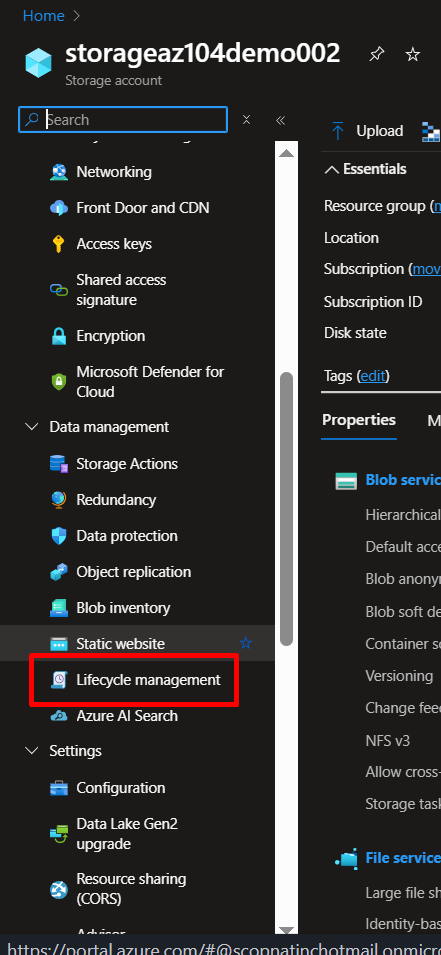
Click + Add rule.
- Rule name:
MoveAndDeleteOldData - Scope: Apply rule to all blobs in container “appdata”.
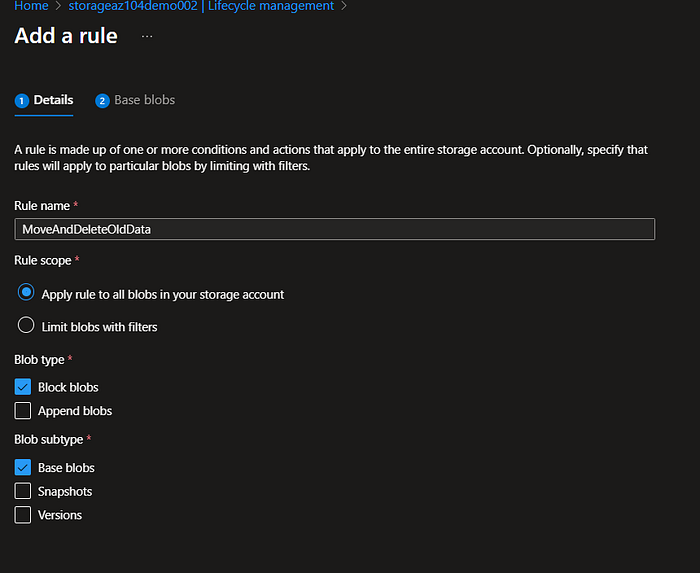
Add conditions:
- Base Blob age > 30 days → Move to Cool tier
- Base Blob age > 90 days → Delete blob
Click Add → Save → Enable rule.
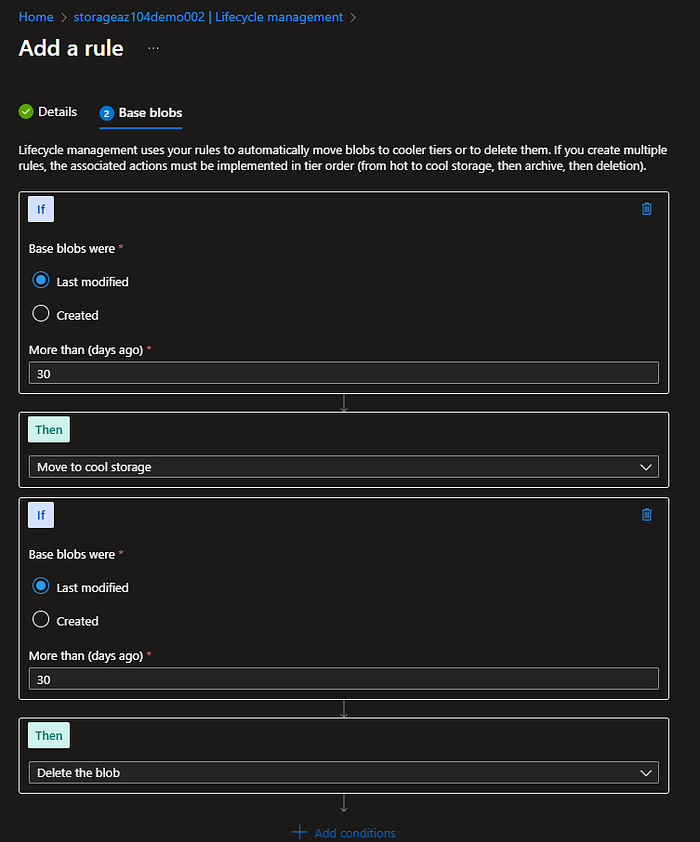
NB: This rule runs daily and automatically moves/deletes files based on age.
Conclusion
We’ve built an automated, cost-efficient Azure Storage solution that mimics what real DevOps and Cloud Engineers deploy in production.
This project teaches resource management, cost optimization, and hands-on governance




 Adedeji Awolesi
Leave a comment